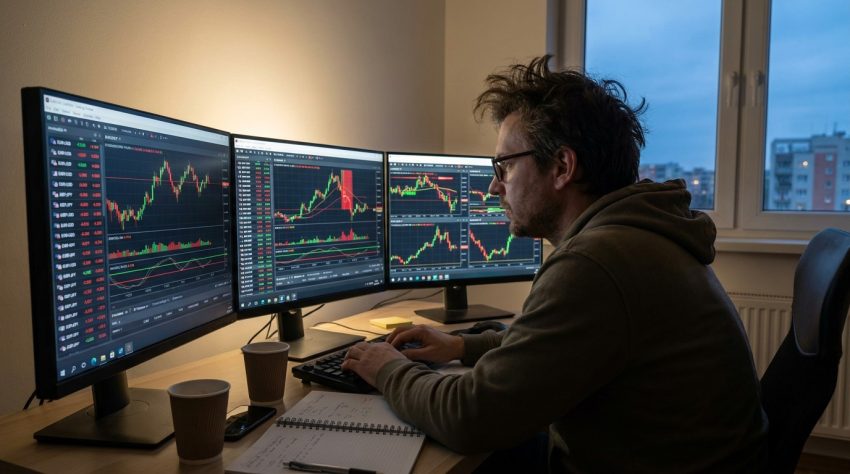
Welcome to Trading software provides the interface traders use to analyse markets, place orders and manage open positions. The most common platforms combine price charts, technical indicators, account information and execution tools, although the features and supported markets vary considerably.
Some platforms are independent products that connect to multiple brokers, while others belong to one brokerage company. This distinction matters because the quality of the software and the quality of the broker are separate questions. Two brokers can offer the same trading platform while providing different spreads, commissions, leverage and execution conditions.
For most traders, there is little reason to select software because it has the longest feature list. The better choice is normally the platform that supports the markets and trading style actually being used.
MetaTrader 4
MetaTrader 4, normally shortened to MT4, remains one of the best known retail trading platforms. It became particularly popular with forex traders and is still offered by many currency and CFD brokers.
The basic interface provides live price charts, several order types, technical indicators and account information. Traders can arrange multiple charts and switch between time frames ranging from short intraday periods to longer daily and weekly views.
One of MT4’s main attractions is its support for custom software. Traders can install indicators, scripts and automated trading programs known as Expert Advisors, or EAs. These can range from simple tools that calculate position size to systems that open and close trades without manual intervention.
The large MT4 community also means there are thousands of third party tools available. Quality varies substantially. An automated strategy showing exceptional historical returns should not be treated as profitable simply because it can be installed inside MetaTrader. Backtests can be overfitted and often fail to reproduce real trading costs accurately.
MT4 is an older platform, but familiarity keeps it in widespread use. Traders who only require forex charts, manual order entry and simple automation may find that it still does everything they need.
MetaTrader 5
MetaTrader 5, or MT5, is the newer member of the MetaTrader family.
Its interface will look familiar to MT4 users, but the underlying platform supports a broader set of functionality. Depending on the broker, MT5 can be used for forex, CFDs, stocks, futures and other instruments.
It also provides more time frames, additional order types and a more advanced strategy testing environment. This makes it a better fit for traders who want to develop or test automated systems across several markets.
MT5 should not be viewed simply as MT4 with a different number attached. The two platforms use different programming environments, so tools created for one do not automatically work on the other.
Broker support also matters. A trader can prefer MT5 but still find that a particular broker offers more instruments or better account conditions through another platform.
For new traders choosing between the two without existing MT4 software, MT5 generally offers the more modern framework. Longstanding MT4 users may have little reason to move if their current indicators and trading systems already work well.
TradingView
TradingView is commonly used for charting and market analysis rather than being tied to one broker.
It covers a broad range of markets including stocks, currencies, cryptocurrencies, futures and indices. Its browser based interface makes it accessible without installing a large desktop terminal, and charts can be synchronised between devices.
TradingView’s main strength is its analytical environment. Traders can use standard technical indicators, create watchlists and draw directly onto charts. It also supports custom indicators and strategies through its Pine Script language.
Some brokers integrate directly with TradingView, allowing customers to place orders through the chart interface. Others do not, in which case a trader may perform analysis in TradingView and execute the trade separately through the broker’s own software.
This arrangement is fairly common. There is no requirement that analysis and execution happen in the same program.
The social side of TradingView is another major feature. Users can publish ideas and indicators, although popularity should not be treated as evidence that a strategy is profitable.
cTrader
cTrader is another common platform among forex and CFD brokers.
It is designed around charting, rapid order execution and a relatively clean interface. Traders can use several order types, examine market depth where available and manage positions from desktop, web and mobile applications.
Automation is supported through cTrader’s algorithmic trading tools. Traders can develop automated systems and custom indicators, making the platform a practical alternative to MetaTrader for people who want to code their strategies.
Some active traders prefer cTrader because of its interface and order management features. Others remain with MetaTrader because their existing indicators or Expert Advisors are already built around that environment.
There is no universal winner between them. Execution quality still depends heavily on the broker providing the account.
Proprietary Broker Platforms
Many brokers have developed their own trading software rather than relying entirely on third party platforms.
A proprietary platform can combine order execution, account administration, research, news and charting in one application. This can make the experience simpler because deposits, withdrawals and trading all happen through the same interface.
The disadvantage is dependence on that broker.
A trader using MT5 or cTrader may be able to change brokers while keeping a familiar platform. Someone using a proprietary system will normally need to learn new software if they move elsewhere.
Proprietary platforms can still be excellent choices, particularly for investors who value simplicity more than customization. The important question is whether the platform provides the required markets, order types and risk controls rather than whether it carries a well known software name.
Specialist and Automated Trading Software
Not all trading software is designed primarily for order execution.
Stock scanners can search thousands of securities for price, volume or fundamental conditions. Trading journals analyse previous trades and calculate statistics such as win rate, average return and drawdown. Options platforms may concentrate heavily on volatility, Greeks and multi leg strategies.
Automated traders can also use dedicated backtesting and programming software before connecting a strategy to a broker.
These specialist tools are most useful when they solve an identifiable problem. Adding several subscriptions because professional traders appear to use them can create more information without improving decisions.
Choosing Common Trading Software
The appropriate platform depends on the market and strategy.
Forex traders commonly use MT4, MT5 or cTrader. Traders who want strong cross market charting often use TradingView. Investors and casual traders may find a broker’s proprietary application completely adequate.
Platform stability, order controls and access to the required instruments should matter more than visual design. Automation support matters if automated trading is actually part of the strategy, while mobile access is useful for traders who need to manage positions away from a computer.
The software is ultimately a tool. It can make trading faster, clearer and easier to manage, but it cannot supply a profitable strategy by itself.WordPress. This is your first post. Edit or delete it, then start writing!