Forex trading software is the main interface between a retail trader and the currency market. It displays currency prices, provides charts, calculates account equity and allows orders to be opened, modified and closed. More advanced platforms can run automated strategies, monitor dozens of currency pairs simultaneously, generate trading signals and analyse historical market data.
For most retail traders, the software is supplied by the broker or connected to a brokerage account through a third party platform. This relationship matters because the software itself does not determine everything about the trade. The broker controls or influences factors such as available markets, spreads, commissions, leverage, order execution and the legal entity that holds the account.
A trader can therefore have an excellent platform and poor trading conditions. The reverse is also possible. A fairly basic platform can be perfectly adequate when the trader has reliable execution, reasonable costs and a strategy that does not require advanced software.
Forex software also tends to contain more trading functionality than a long term investment platform because currencies are normally traded actively and often with leverage. Position size, margin, stop levels and live profit or loss need to be visible while the trade remains open.
Software can make these calculations easier, but it does not reduce the underlying market risk. A badly sized position remains badly sized when displayed on a more attractive screen.
The most useful way to evaluate forex trading software is therefore to work backwards from the strategy. A trader holding positions for several days needs different software from somebody scalping EUR/USD for a few minutes, while an automated trader has another set of requirements entirely.
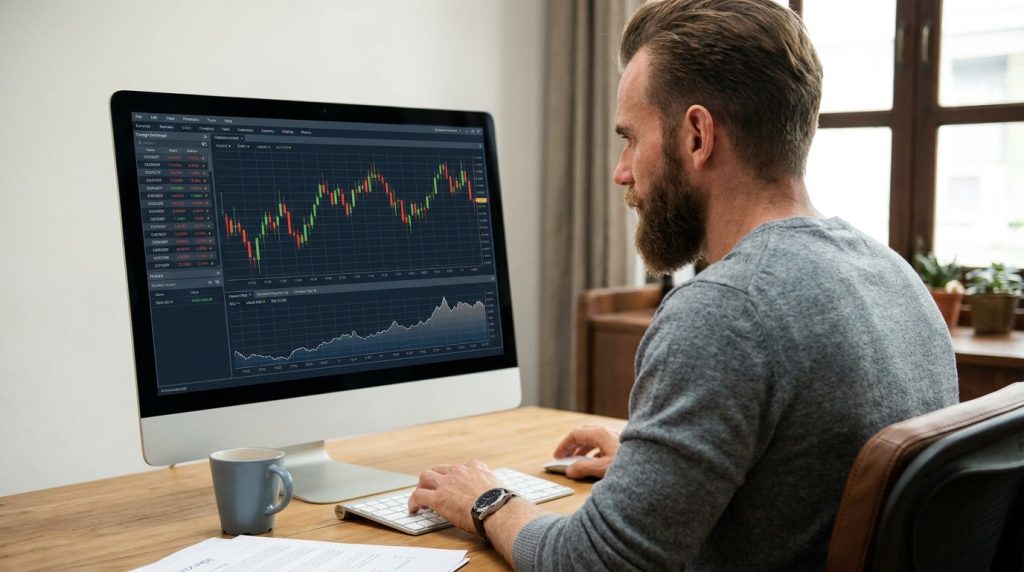
How Forex Trading Software Works
A retail forex platform receives price information from the broker and turns it into the market prices displayed on the trader’s screen. The trader then uses the software to send instructions back to the broker.
A EUR/USD order, for example, specifies the currency pair, trade size, direction and order type. Depending on the platform, the trader may also define a stop loss and profit target before the order is submitted.
Once the trade is active, the software calculates the changing profit or loss as EUR/USD moves. It also displays the amount of margin being used, remaining free margin and total account equity.
These figures are particularly important in leveraged forex trading because the notional size of the position can be much larger than the account balance.
The platform is only one part of the process. What happens after the trader presses buy or sell depends on the broker’s execution model and trading infrastructure. Orders may be matched internally, passed through to liquidity providers or handled using a combination of arrangements according to the broker and account type.
This is why two brokers offering the same third party trading platform can still provide different experiences.
One might offer tighter spreads but charge a separate commission. Another might incorporate more of its charge into the spread. Execution speed, slippage, available leverage and minimum trade size can also differ.
For traders comparing this relationship between platform and provider, ForexBrokersOnline.com publishes forex broker reviews and platform comparisons covering software such as MetaTrader, cTrader and proprietary trading systems. Its trading platform material notes that the choice of software is closely connected with broker execution arrangements and the accounts through which the platform is offered.
The platform should therefore not be assessed in isolation. The trader is opening an account with a broker, not with a chart.
Desktop Forex Trading Software
Desktop software remains popular among active forex traders because it provides more screen space and processing flexibility than a mobile application.
A desktop terminal can display several charts at once, run custom indicators and keep multiple currency pairs visible without forcing the trader to move constantly between screens. Traders using several monitors can arrange currencies, economic calendars and account information in a way that suits their workflow.
Desktop software is particularly useful for automated trading.
An algorithm can remain active while the platform runs, monitoring prices and submitting orders according to predefined rules. Some traders also use custom scripts to calculate position sizes, move stop losses or manage groups of trades.
The main disadvantage is dependence on the computer and internet connection.
If an automated system runs locally and the machine shuts down, the strategy stops running. A power failure, software update or internet problem can therefore interfere with open positions.
Manual traders face less risk from this because they can often log into a broker’s web or mobile platform instead. Automated traders need to think more carefully about redundancy.
Desktop software can also become cluttered. The availability of hundreds or thousands of indicators encourages some traders to install far more tools than they can reasonably interpret.
More information is not necessarily better information.
A clean platform containing price, volume where relevant, a few analytical tools and clear order controls may be more useful than a screen filled with overlapping indicators.
Web Based Forex Platforms
Web trading platforms run through a browser rather than requiring a dedicated program to be installed.
Their main advantage is convenience. A trader can log in from different computers without installing a full desktop terminal, provided the device and connection are secure.
Modern web platforms can provide sophisticated charts, watchlists, economic calendars and advanced order tickets. The gap between desktop and browser software has therefore narrowed considerably.
For discretionary traders, a web platform may provide everything required.
It is especially useful for traders who do not run custom algorithms or specialist scripts. Positions can be managed, charts can be analysed and orders entered without maintaining additional software.
Browser platforms also avoid some compatibility problems associated with desktop applications. An investor using a different operating system does not need to worry about whether a particular executable will run correctly.
The trade off is that advanced customization can be more restricted.
Some browser platforms do not support the same custom indicators, automated strategies or plugins available through desktop software. This depends on the provider rather than being an inherent problem with web trading.
Browser security also matters. A trader should avoid logging into a forex account from an unknown public computer or unsecured network merely because the platform makes it possible.
Accessibility and security are not the same thing.
Mobile Forex Trading Apps
Mobile forex applications are now a standard part of many retail brokerage services. They allow traders to monitor positions, receive alerts and enter orders from a telephone or tablet.
For position management, mobile trading can be extremely useful.
A swing trader does not need to remain beside a computer merely because EUR/USD is approaching a stop level. An alert can notify the trader and the position can be checked through the mobile app.
Modern forex applications can also provide charts, indicators, economic calendars and account funding tools. Some brokers have developed their own mobile software while still supporting third party platforms such as MT4 or MT5. Forex.ke’s review of forex trading apps notes that Kenyan brokers commonly combine proprietary mobile applications with platforms such as MT4 and MT5, giving customers several ways to access the same brokerage account.
Mobile software is less suitable for detailed analysis.
A five inch screen is not an ideal place to compare several time frames, study a complicated chart structure and calculate a leveraged position simultaneously. It can be done, but convenience should not be confused with analytical quality.
Mobile apps also create a temptation to trade too frequently.
Having permanent access to the market means a trader can react to every small price movement. A strategy designed around four hour or daily charts does not improve because the trader checks it twenty times during lunch.
Mobile trading works best as another access point to a defined strategy rather than a reason to invent new trades whenever the telephone is nearby.
Forex Charting and Technical Analysis Software
Charting is one of the main reasons traders care about platform choice.
Forex platforms usually support candlestick, line and bar charts across time frames ranging from minutes to months. Some also provide tick charts or custom periods.
Technical indicators can then be applied to that data. Moving averages, RSI, MACD, Bollinger Bands, stochastic oscillators and Average True Range remain common examples.
The software performs the calculation instantly, but the trader still needs to decide how the indicator fits the strategy.
A moving average can show the direction of recent prices. It cannot determine that the market will continue in the same direction. RSI can describe the relationship between recent gains and losses. It does not guarantee a reversal simply because the reading appears high or low.
Good forex software allows indicators to be changed and tested without forcing the trader to use them.
Custom indicator support can be valuable for advanced users. A trader may want a volatility measure calculated in a particular way or an alert that only triggers when several conditions occur simultaneously.
The danger is curve fitting.
Once software makes it easy to change ten indicator parameters, traders can keep adjusting settings until a historical chart looks almost perfect. The resulting strategy may simply describe the past rather than provide a useful rule for future trading.
Multiple time frame layouts are often more useful. A swing trader might examine the daily trend, use a four hour chart to identify structure and select an entry on a shorter period.
The software removes the mechanical work involved in changing charts. The analytical decision remains human unless the strategy is automated.
MetaTrader 4 and MetaTrader 5
MetaTrader is one of the most established names in retail forex software.
MetaTrader 4 became closely associated with forex trading because of its charting, custom indicators and support for automated systems known as Expert Advisors. Traders could write or install strategies using the platform’s programming environment and run them directly inside the terminal.
MetaTrader 5 expanded the architecture and supports a broader group of markets and functionality, although whether a particular instrument is available depends on the broker.
The large MetaTrader user base has created a substantial market for indicators, scripts and automated strategies. That can be useful because traders are not restricted to the tools installed by default.
It also creates plenty of rubbish.
An Expert Advisor advertised online with extraordinary historical returns does not automatically contain a profitable trading system. Backtests can be manipulated through favourable settings, selected test periods and unrealistic execution assumptions.
Traders should understand how the strategy works before allowing it to place real orders.
The broker still matters when using MetaTrader. Different brokers can supply different price feeds, spreads, leverage and execution conditions to what appears to be the same software.
This is particularly relevant when comparing automated strategy results. A system that works with one broker’s spreads and execution may perform differently with another.
The software provides the framework.
The brokerage conditions remain part of the strategy.
cTrader and Alternative Forex Platforms
cTrader provides another established platform used by retail forex and CFD traders.
It combines charting, order entry and automated trading features with an interface that many traders find more modern than older desktop terminals. It is commonly offered by brokers targeting active traders and can support advanced order management and algorithmic strategies.
ForexBrokersOnline’s current trading platform overview compares cTrader with MetaTrader platforms and notes its appeal to traders looking for modern interfaces and advanced execution features.
The choice between platforms often becomes personal.
A discretionary trader who relies mainly on charts may prefer the interface that feels easiest to read. An algorithmic trader is more likely to care about programming language, backtesting capabilities and how automated strategies are hosted.
There are also proprietary broker platforms.
Large brokers sometimes develop their own software rather than relying entirely on MetaTrader or cTrader. Proprietary platforms can integrate research, trading, account management and broker specific tools more closely.
The disadvantage is portability.
A trader using a third party platform can sometimes move to another broker without completely rebuilding the workflow. A proprietary platform belongs to the broker, so changing firms normally means changing software as well.
This should not prevent someone from using proprietary software. It simply means the platform creates another reason to remain with the provider.
Automated Forex Trading Software
Forex is particularly suited to automation because currency markets operate for most of the working week and generate large amounts of price data.
An automated system can monitor markets continuously and execute trades when predefined conditions occur.
The simplest systems may use technical rules. A strategy might buy EUR/USD when a moving average crossover occurs and volatility satisfies another condition.
More advanced systems can combine several markets, sessions and risk parameters.
The benefit is consistency.
Software does not become impatient after two hours without a trade. It does not increase position size because the previous trade lost money, unless someone was unwise enough to program that rule into it.
Automation can therefore reduce some behavioural mistakes.
It does not remove strategy risk.
A system that produced good historical results can fail because market conditions change. Strategies dependent on low volatility, strong trends or stable correlations can deteriorate when those conditions disappear.
Backtesting software should therefore be used to understand a strategy rather than to manufacture the most attractive historical equity curve.
Costs need to be included. A strategy executing hundreds of trades can look profitable before spreads and commissions and weak afterwards.
Slippage matters too. Historical data may show a price at which the software assumes an order could be executed, while real market liquidity produces a worse fill.
Automated traders should also monitor their systems. “Automated” should not be interpreted as “ignored”.
A program can remain operational while doing exactly the wrong thing.
Using a VPS for Forex Trading
A virtual private server, or VPS, is often used by traders running automated forex software.
Instead of keeping the trading platform running on a home computer, the software operates on a remote server that remains online continuously.
This reduces dependence on the trader’s household electricity and internet connection.
Latency can also be reduced when the VPS is geographically close to the broker’s trading infrastructure, although the practical importance of a few milliseconds depends heavily on the strategy.
A swing trading algorithm holding positions for several days is unlikely to live or die because of a tiny improvement in network latency. A very short term automated system may care much more.
Some forex brokers provide discounted or free VPS access to customers meeting trading volume or account requirements. ForexBrokersOnline notes VPS availability alongside platform and algorithmic trading support in several of its current broker reviews.
A VPS creates its own administrative responsibilities.
The server needs security updates, strong credentials and monitoring. An automated system should also be checked after platform or operating system updates because compatibility problems can stop scripts from operating correctly.
Remote hosting reduces one point of failure.
It does not remove all of them.
Forex Execution Software, Spreads and Slippage
Trading software should show the price available to the trader, but the final execution can differ from the price visible when the order was submitted.
This difference is known as slippage.
During normal liquid conditions, slippage on major currency pairs may be small. Around important economic announcements or sudden market movements, prices can change faster than the order reaches the market.
A market order prioritises execution, so the trade can fill at the next available price.
Limit orders give the trader more price control but may remain unfilled.
This distinction is especially important for strategies targeting very small movements. A swing trader aiming for 300 pips can tolerate execution differences that would destroy the economics of a scalping strategy aiming for three.
Spread is another software visible cost.
The platform displays a bid price and ask price, with the difference representing the spread. Some accounts add a separate commission, particularly those marketed with raw or very tight spreads.
The trader should calculate the total cost rather than choosing a platform because an advertisement says spreads “from zero”.
From zero and averaging zero are entirely different claims.
Execution statistics are more valuable than marketing language when available. Traders should also examine their own fills over time. A trading journal can reveal whether certain pairs or periods repeatedly produce poor execution.
Risk Management Tools in Forex Software
Leverage makes risk information central to forex software.
The platform should display account equity, used margin and free margin clearly. Traders should not need to search through several menus to discover how close the account is to a margin problem.
Position size calculators are also useful.
A trader with a $10,000 account who wants to risk $100 on a trade needs a position size based on the stop distance and pip value. Software can perform that calculation instantly.
The stop should normally be selected according to the trade setup before position size is calculated.
Working backwards from the maximum position the broker permits is a poor approach.
Risk software can also monitor exposure across several currency pairs.
A trader might believe they have diversified by holding EUR/USD, GBP/USD and AUD/USD positions. If all three trades depend largely on the US dollar falling, they can behave like one concentrated macro position.
Software capable of grouping currency exposure can make this easier to see.
Drawdown limits are useful for automated systems as well. A strategy can be instructed to stop placing new trades after reaching a predefined loss threshold.
This does not guarantee that the strategy will recover later.
It prevents a bad period from automatically becoming an unlimited one.
Copy Trading and Forex Signal Software
Copy trading software allows one account to replicate trades made by another trader or strategy provider.
The appeal is obvious. A less experienced trader can follow someone with a longer performance history without manually entering every position.
The difficulty lies in judging that history.
High returns may come from high leverage. A strategy can produce a smooth record for months by taking small profits while leaving occasional large losses open.
Past performance also says little about whether the strategy will behave similarly under future market conditions.
Some broker platforms provide statistics including drawdown, trade history and strategy duration. ForexBrokersOnline notes that copy trading integrations offered by certain brokers provide strategy provider statistics that users can inspect before allocating capital.
Those statistics are more useful than a screenshot of profits, but they still require interpretation.
The trader should look at how much risk was required to generate the return, not simply which account sits at the top of a leaderboard.
Signal software is similar except that the trade recommendation may be delivered without automatic execution.
Alerts can provide an entry, stop and target, leaving the user to place the order manually.
Neither model removes responsibility for risk.
Following someone else’s trade does not make someone else’s loss less expensive.
Choosing a Forex Broker and Trading Platform
The choice of forex software is inseparable from the choice of broker.
Start with regulation and legal entity. The trader needs to know which company will hold the account and which financial regulator supervises it.
A broker may operate several subsidiaries in different countries. The fact that one part of the group has a licence from a respected regulator does not mean every customer is automatically contracted with that entity.
Platform availability can then be considered.
Some brokers offer MetaTrader only. Others provide MT4, MT5, cTrader, TradingView integrations and a proprietary application. The larger choice is useful only if the platforms support the trader’s intended strategy.
For traders in Kenya, local regulation deserves additional attention. Forex.ke compares brokers available to Kenyan traders and identifies firms according to factors including CMA licensing, platform choice and local account features. Its current broker material covers MetaTrader, cTrader and proprietary applications offered by brokers serving the Kenyan market.
The Kenyan legal entity is more important than the international brand. Forex.ke’s analysis of local versus global broker entities notes that the entity named in the client agreement determines the governing law and regulatory structure applying to the account.
After regulation comes trading cost.
Spreads, commissions, overnight financing and currency conversion costs can all matter. A broker offering excellent software but consistently expensive execution may be poor value for an active trader.
Deposits and withdrawals need similar attention.
A platform that accepts deposits instantly but makes withdrawals difficult is not providing a good service. Traders should understand withdrawal rules before building a substantial balance.
Demo accounts can help with the software decision. They allow the trader to learn order entry, chart layouts and risk controls before live money is involved.
A demo cannot fully reproduce live execution or trading psychology.
It can at least prevent somebody from discovering the difference between “close position” and “open another position” with real leverage attached.
Security Risks in Forex Trading Software
A forex platform provides direct access to an account containing money, so ordinary cybersecurity practices matter.
Passwords should be strong and different from those used elsewhere. Two factor authentication should be enabled when the broker supports it.
Trading software should be obtained from the broker or the software developer through a verified source.
Fake broker applications and cloned websites can imitate legitimate platforms. A trader who enters login details into a false site can compromise the account even if the genuine broker is properly regulated.
Automated trading software creates another risk because traders often install indicators, scripts and Expert Advisors written by third parties.
Unknown software should not be treated casually simply because it promises profitable signals. Programs can contain poorly written code or potentially malicious functionality.
Backup access is also important.
A trader using a desktop platform should know whether the account can be reached through the broker’s website, mobile application or another approved method if the software stops working.
This becomes much more important when leveraged positions are open.
Software failure is irritating when a chart will not load.
It is considerably less charming when the chart contains a position worth several times the trader’s account balance.
Forex Trading Software Should Support the Strategy
Forex trading platforms have become sophisticated enough that most retail traders have far more technology than they actually need.
Modern software can display multiple markets, run technical indicators, execute automated systems, copy other traders and calculate account risk in real time. Desktop terminals, web platforms and mobile applications provide several ways to reach the same account.
The best platform depends on what the trader intends to do.
A discretionary swing trader may care mainly about clear charts and reliable orders. A scalper needs low transaction costs and good execution. An algorithmic trader may prioritise backtesting, programming support and VPS compatibility.
None of them benefits from choosing software before choosing a strategy.
Good forex software makes a trading process easier to execute.
It does not provide the process.