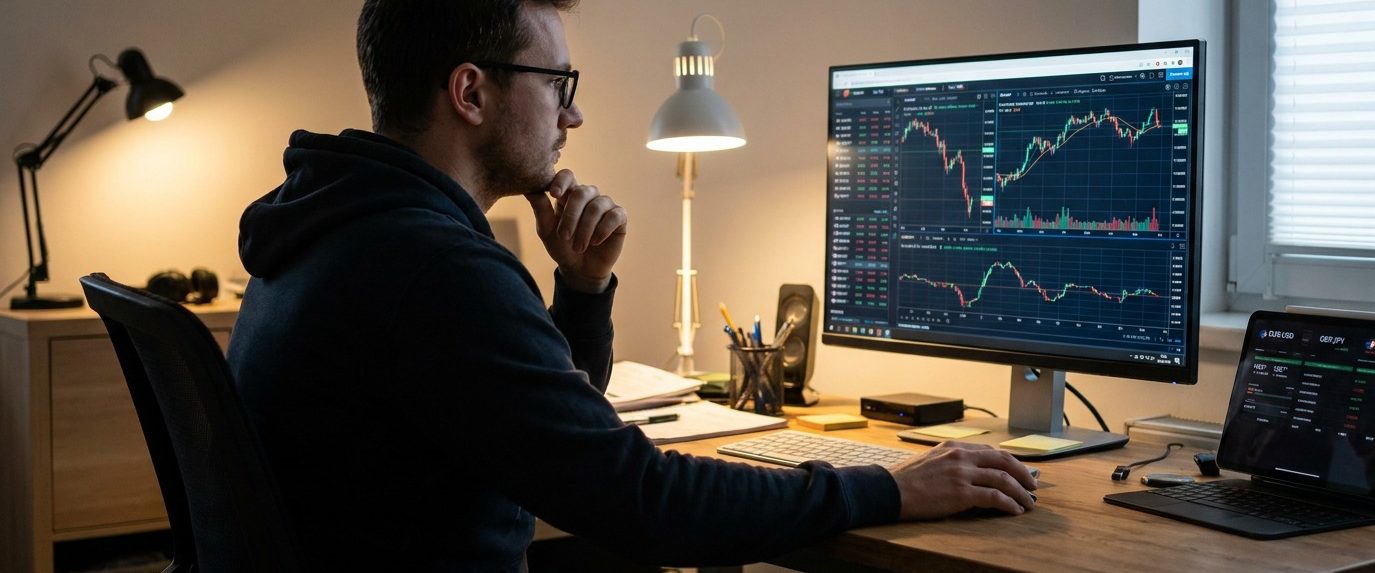
Trading software is the technology that sits between a trader and the market. At its simplest, it displays prices and provides buttons for buying and selling. More advanced software can analyse charts, calculate position sizes, scan thousands of securities, route orders to different venues, run automated strategies and record every trade for later review.
The term covers a wide range of products because not every trader needs the same thing. A long term stock investor may be perfectly comfortable using a broker’s web platform a few times each month. A day trader might need rapid order entry, live Level 2 data and several charts running simultaneously. A forex trader may place most orders through a platform such as MetaTrader, while an options trader needs tools for analysing volatility, strike prices and multi leg positions.
The quality of the software does matter, but it is easy to overstate what good software can accomplish. A faster platform cannot turn a poor trading strategy into a profitable one. An attractive chart does not improve the statistical quality of an entry signal, and an automated trading system simply loses money faster if the rules behind it are poor.
Good trading software removes friction. It makes data easier to read, orders easier to manage and risk easier to calculate. It can also reduce avoidable mistakes, particularly when traders use predefined order sizes, stop levels and alerts.
The useful question is therefore not which trading platform has the longest feature list. It is which software fits the market, strategy and level of activity of the person using it.
What Is Trading Software?
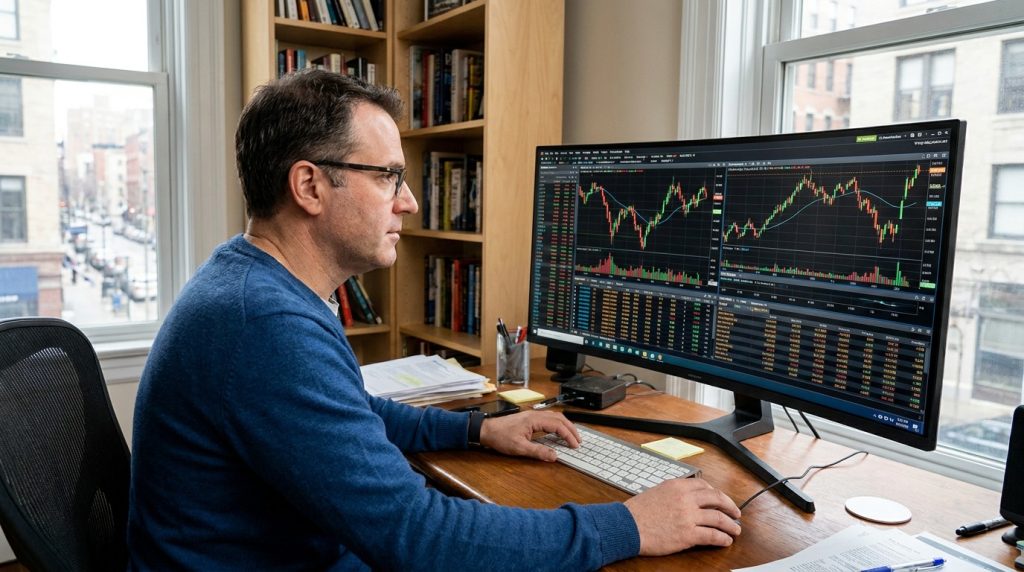
Trading software is any program, application or online service used to analyse markets, place trades or manage trading activity.
Most modern brokers provide at least one proprietary platform. This may run inside a web browser, as a desktop application or through a mobile app. Some brokers also connect to third party platforms that provide more advanced charting, automation or order management.
The software normally communicates with the broker’s trading infrastructure. When a trader presses buy, the platform creates an order containing information such as the instrument, quantity and order type. The broker then handles the order according to its execution arrangements.
That basic process can become considerably more complicated for active traders. Professional and advanced retail software may allow orders to be routed to particular exchanges, electronic communication networks or liquidity providers. Some systems break large orders into smaller transactions to reduce market impact.
Trading software can also operate without order execution. A trader may use one service for charts, another for market news and a completely different broker for actual trades. This is common where specialist analytical software is better than the tools included with a brokerage account.
The boundaries are increasingly blurred because many platforms combine several functions. A modern trading application may provide charts, financial statements, news, social features, screeners, alerts and order execution inside one interface.
Convenience is useful, but traders should still understand which company performs each function. A chart provider supplying market data is not necessarily the company holding the customer’s money, and the presence of a respected charting package does not establish that an unknown broker is trustworthy.
Main Types of Trading Software
Trading platforms can be grouped according to what they primarily help the trader do.
Execution platforms are designed mainly for opening, modifying and closing positions. They provide an account balance, watchlists, order tickets and information about current holdings. Most retail broker software falls into this category.
Charting platforms concentrate more heavily on technical analysis. They provide different chart types, indicators, drawing tools and sometimes scripting languages that allow users to create their own studies.
Market scanners search large numbers of instruments for predefined conditions. A stock trader might scan for shares making new highs on unusually high volume. A forex trader may search for currency pairs crossing moving averages or breaking recent ranges.
Algorithmic platforms allow strategies to be coded and executed automatically. Depending on the software, this may involve a simple visual rule builder or a full programming environment.
Portfolio software is more relevant to investors than very short term traders. It can track asset allocation, dividends, realized gains, currency exposure and long term portfolio performance.
Trading journals perform a different job. Rather than helping find the next trade, they analyse previous ones. They can calculate win rates, average gains, average losses, performance by market and results according to time of day or strategy.
Many traders eventually use several of these tools together. The problem is that adding software can become a substitute for improving the trading process. A screen containing twelve charts, four scanners and three news feeds looks impressive but can produce little advantage if the trader does not know which information actually matters.
Charting and Technical Analysis Software
Charting is one of the most familiar uses of trading software.
A price chart converts market data into a visual history. Candlestick charts are especially common because they show the opening, high, low and closing prices for each selected time interval. Traders can switch between one minute charts, hourly charts, daily charts and longer periods according to their strategy.
Technical indicators are then calculated from that price or volume data.
Moving averages smooth historical prices. The Relative Strength Index attempts to measure the strength of recent gains and losses. Bollinger Bands compare price with a moving average and a measure of volatility. Volume indicators examine trading activity rather than price alone.
Modern charting platforms can provide hundreds of built in indicators, but the number available should not be mistaken for analytical quality.
Many indicators measure similar information in slightly different ways. A trader who places five momentum indicators under a chart does not necessarily have five independent confirmations. They may simply be looking at five mathematical versions of the same recent price movement.
Drawing tools can be more useful than they first appear. Horizontal levels, trend lines and measured ranges help traders organise what they see without requiring complicated formulas. The value comes from using them consistently rather than drawing enough lines to explain every historical price movement after it has happened.
Multi time frame analysis is another common software feature. A trader may use a daily chart to establish the broader market direction and a fifteen minute chart to choose an entry. Software makes this easy because different chart periods can remain open simultaneously.
Historical chart data also allows traders to inspect how a strategy might have behaved in previous market conditions. This can be useful, but visual inspection can produce substantial bias. Once the trader already knows where the price moved, good looking historical entries become remarkably easy to find.
Proper testing requires predefined rules.
Order Execution and Broker Integration
A trading platform becomes more important when it is responsible for order execution.
The basic market order instructs the broker to trade at the best available price. It prioritises execution rather than the exact price received. This can be acceptable in liquid markets but dangerous in thin markets or during sharp volatility.
Limit orders do the opposite. The trader defines the worst acceptable price, but the order may not execute if the market never reaches it.
Stop orders can trigger an exit after price reaches a predefined level. They are commonly used for risk control, although a stop does not guarantee execution at the requested price during fast markets. Gaps and poor liquidity can produce slippage.
Trading software should make these order types easy to understand and manage. The trader should be able to see open orders separately from completed trades and positions.
More advanced software may support bracket orders, where a profit target and stop are attached to the original entry. If one exit is triggered, the other is cancelled. This can reduce manual errors for traders who already know where they want to exit before entering the trade.
Fast order entry matters more to some strategies than others. A long term investor buying an ETF once a month is unlikely to care whether the platform takes half a second longer to process an order ticket. A short term trader trying to enter during a rapid breakout may care considerably more.
Broker integration also affects what instruments can be traded. The software may support stocks and forex while the broker account only permits one of those markets. Some platforms connect to several brokers, giving users more choice without changing the interface they already know.
Broker research should therefore be done separately from platform research. BrokerListings.com provides comparisons and information on online brokers and trading platforms across several asset classes. This can help traders identify providers worth investigating, but the broker’s regulatory status, legal entity and account conditions should still be checked independently before any money is deposited.
A good platform attached to the wrong broker remains the wrong account.
Automated and Algorithmic Trading Software
Automation allows software to perform some or all of the trading process without the trader manually clicking each order.
At the simpler end, automation might involve an alert. The software detects when price crosses a moving average and sends a notification. The trader then decides whether to act.
More advanced systems can enter and exit automatically.
A strategy might instruct the software to buy when a fast moving average crosses above a slower one, provided volatility remains below a defined level. The system can calculate position size, submit the order and attach a stop.
The advantage is consistency.
Software does not become bored, frightened or overly confident after three winning trades. It follows the instructions it has been given.
Unfortunately, that includes bad instructions.
Automation does not create an edge. It applies an existing set of rules more consistently and potentially much faster than a human can. A weak strategy can therefore generate a large number of weak trades with admirable efficiency.
Backtesting is usually part of algorithmic trading software. Historical market data is used to estimate how a strategy would have performed in the past.
Results need to be treated cautiously.
A strategy can be overfitted to historical data. This occurs when rules are repeatedly adjusted until they match the particular movements found in the test period. The final system can look outstanding on historical charts while failing quickly when exposed to new data.
Transaction costs also matter. A backtest that assumes perfect fills at every quoted price can produce results that no trader could achieve in practice. Spreads, commissions, slippage and market impact need to be included.
The quality of the underlying data matters too. Missing prices, incorrect timestamps or unrealistic assumptions about available liquidity can invalidate a backtest.
Forward testing on a demo account or with very small capital provides another layer of evidence. It allows the system to operate against current market data without depending entirely on historical simulations.
Automated trading can be useful, particularly for strategies requiring consistent execution across many markets. It is not a machine for producing passive income without supervision.
Software still fails. Connections drop, brokers reject orders, market conditions change and algorithms occasionally behave in ways their owners did not anticipate.
Risk Management Software
Trading software can help with risk management before the position is opened.
Position size calculators determine how many shares, contracts or currency units can be traded for a defined monetary risk.
Suppose a trader has a £20,000 account and wants to risk 1% on a stock trade. The maximum planned loss is £200. If the entry price and stop are £2 apart, the position size before costs would be approximately 100 shares.
Software can calculate that instantly.
The calculation becomes more useful in leveraged markets where contract size, pip value and account currency make mental arithmetic less convenient.
Risk software can also monitor total exposure across several positions. Two trades may look unrelated but carry similar market risk. A long position in a major technology stock and a long technology index CFD can both lose from the same sector decline.
Portfolio tools can expose this concentration more clearly than looking at individual order tickets.
Drawdown monitoring is another useful function. A trader can track how far the account has fallen from its previous peak and reduce activity if losses exceed a predefined threshold.
This is particularly useful because traders tend to make their worst decisions during periods when their strategy is already performing badly. Increasing position sizes to recover losses can turn an ordinary drawdown into permanent account damage.
Risk management software does not need to be complicated. A spreadsheet can perform many of the same calculations.
The advantage of integrating risk tools into the trading platform is that the calculation occurs at the point where the trader is about to act.
Trading Journals and Performance Analysis
A trading journal turns completed trades into data.
Basic journals record the instrument, entry, exit, position size and profit or loss. More advanced software can import trades directly from brokerage accounts and calculate statistics automatically.
Win rate is one obvious measure, but it should not be viewed alone.
A strategy winning 70% of trades can still lose money if the average losing trade is much larger than the average winner. A strategy winning only 40% can be profitable when successful trades are considerably larger than unsuccessful ones.
Expectancy combines those figures into a more useful estimate of average return per trade.
Journaling software can also separate results according to strategy. A trader may discover that breakout trades are profitable while attempts to trade market reversals lose consistently.
Time analysis can uncover another pattern. Some traders perform well during the first hour of a market session and lose money later when activity slows. Others have problems trading immediately after major economic announcements.
This is where software can provide an advantage that memory does not. People remember unusually large wins and painful losses. They are less reliable at remembering fifty ordinary trades accurately.
The journal provides the less flattering version.
Market Data, News and Screening Software
Every trading platform depends on data.
At minimum, the software needs current market prices. Active traders may also use bid and ask quotes, volume information, order book depth and time and sales data.
Not all data is equally fast or detailed. Some free platforms provide delayed prices for certain exchanges unless the user subscribes to real time data. This is normally irrelevant to a long term investor but can cause problems for a day trader.
News software serves another function.
Market moving announcements can include company earnings, mergers, central bank decisions, employment reports and regulatory developments. Professional news feeds attempt to deliver this information quickly enough for active market participants to react.
Speed can become expensive. Most retail traders do not need the same information infrastructure as an institutional trading desk.
Economic calendars provide a simpler alternative for forex and index traders. They show scheduled events such as inflation releases, interest rate decisions and employment data.
Stock screeners help reduce the number of securities that need to be examined manually. Traders can filter by market capitalization, volume, price movement, valuation ratios or technical conditions.
A screener does not tell the trader what to buy. It produces a smaller group worth examining.
That is often enough.
Trading Software for Stocks
Stock trading software ranges from basic investment apps to professional direct market access platforms.
Long term investors usually need relatively little. Reliable order execution, portfolio information, corporate actions and access to financial statements may be enough.
Active stock traders demand more.
They may use real time scanners to identify unusual volume, gap movements or stocks reaching new highs and lows. Level 2 displays can provide additional information about available orders at different prices, although interpreting order book information requires experience.
Short selling introduces more software requirements. The trader needs to know whether shares are available to borrow and what borrowing costs may apply.
Day traders may also use hotkeys to submit predefined orders quickly. This saves time but increases the cost of mistakes. Pressing the wrong hotkey can produce a real position before the trader has finished expressing regret.
For general education on active trading software, brokers and platform features, DayTrading.com provides guides covering trading platforms, brokers, software and different short term trading markets. As with any third party comparison resource, platform information should be checked against the broker’s current terms before opening an account.
Forex and CFD Trading Software
Forex trading software places greater emphasis on charting, leverage, rapid order entry and automated strategies.
The market operates across most of the working week, so platforms often remain connected for long periods. Traders may run expert advisors or other automated systems continuously.
MetaTrader became widely used partly because it combines manual trading with custom indicators and automated strategies. Other brokers operate proprietary platforms or connect with third party charting systems.
The important features are not only appearance and indicator count.
Execution model, spreads, commissions, swap charges and available leverage are connected to the broker rather than the software alone. Two traders can use similar interfaces and experience different trading costs because their accounts are held with different firms.
CFD platforms operate in a similar manner because many retail CFD brokers provide access to currencies, stock indices, commodities and shares from the same account.
Leverage makes margin information particularly important. Good software should display available equity, used margin and unrealized profit or loss clearly.
A platform that makes risk difficult to see is not doing the trader a favour.
Options Trading Software
Options require more analytical information than ordinary stock trading.
The trader is not only interested in whether the underlying asset rises or falls. Time until expiry and volatility can have a large influence on the option price.
Options software therefore commonly provides the Greeks.
Delta estimates sensitivity to changes in the underlying price. Gamma measures changes in delta. Theta represents the effect of time decay, while vega measures sensitivity to implied volatility.
Options chains display available strikes and expiries alongside bid prices, ask prices and sometimes implied volatility.
Strategy tools can combine several legs and display the theoretical payoff at expiration. A trader building a vertical spread, straddle or iron condor can see maximum profit, maximum loss and break even points before submitting the trade.
That does not remove the possibility of mistakes. Multi leg options orders can be complicated and liquidity can differ considerably between strikes.
Software makes the structure easier to see.
It cannot make a poor options position inexpensive.
Binary Options Trading Software
Binary options use a simpler looking interface because the contract generally reduces the decision to a defined outcome at a defined time.
A platform may display the underlying market, current price, expiry time and payout available if the selected outcome is correct. The trader then chooses a direction or condition and enters the amount to risk.
That simplicity can hide difficult mathematics.
If a winning trade produces less profit than the amount lost on an unsuccessful trade, the trader needs a win rate above 50% simply to break even. A visually simple platform does not make the contract statistically easy to trade.
Anyone researching how binary trading platforms, expiries and payout structures work can use BinaryOptions.net as an educational reference. Binary options are subject to major regulatory restrictions in several jurisdictions, so traders should also establish whether the product can legally be offered to retail customers where they live.
Platform risk deserves more attention with binary options than many users initially assume. The displayed price at expiry determines whether the contract wins or loses. Traders therefore need to understand where the price comes from and who supervises the operator.
Software cannot compensate for a questionable counterparty.
Mobile Trading Software
Mobile applications have changed how traders interact with markets.
A trader can monitor prices, receive alerts and manage positions from almost anywhere with a connection. This is useful when a position needs attention away from a desktop computer.
Mobile platforms are less attractive for detailed analysis.
A small screen makes it easier to miss information and harder to compare several charts. Entering a complex options order or analysing a large stock screener on a telephone can become unnecessarily awkward.
Mobile notifications also encourage over monitoring.
A long term investor does not need an alert every time a portfolio holding moves 1%. Constant access can create the impression that something always needs to be done.
Often it does not.
Security matters more on mobile devices as well. Biometric access, strong passwords and two factor authentication should be used where available. Traders should avoid keeping account credentials in unsecured notes or allowing other applications unnecessary access to sensitive information.
The best use of mobile trading software is usually account monitoring and relatively simple order management rather than replacing a full research environment.
How to Choose Trading Software
The correct platform depends primarily on the trading style.
A long term investor does not need an institutional grade order book. A scalper probably should not choose software designed mainly for monthly ETF investing.
Market access comes first. The software must support the stocks, currencies, futures, options or other instruments the trader actually wants to use.
Execution requirements come next.
An active trader should examine order types, platform stability and how quickly positions can be modified. A slower investor may care more about research tools, portfolio reporting and ease of use.
Costs should be assessed at the account level rather than software level alone. A platform may be free while the broker charges relatively high spreads or commissions. Another platform may require a data subscription but offer lower execution costs.
Automation matters only if the trader intends to use it. Paying for advanced scripting and backtesting capabilities adds little value to somebody who places three manual trades a month.
Compatibility is another practical issue. Some desktop trading software only supports particular operating systems. Web based platforms avoid that problem but depend more heavily on browser performance and a stable internet connection.
Demo accounts are useful when available. They allow the trader to test the interface and order process without learning where the close position button is while an actual position is moving rapidly against them.
The final decision should be based on workflow.
Trading software is good when it makes the process easier to execute correctly. Software that constantly encourages the trader to change methods, add indicators and trade more frequently may create more distraction than value.
Security and Operational Risks
Trading software handles valuable information and, in many cases, direct access to money.
Account security therefore matters.
Strong individual passwords should be used for brokerage accounts, and two factor authentication should be enabled where supported. Reusing the same password across email, social media and trading accounts creates an unnecessary point of failure.
Software should be obtained from the broker or developer’s verified website or official application listing. Fake trading applications and cloned broker websites can imitate genuine services closely enough to capture login credentials or deposits.
Updates should also be installed where they contain security patches or compatibility fixes.
Automated traders face additional operational risks. A strategy running on a local computer stops functioning if the computer loses power or the internet connection fails. Some traders use virtual private servers so automated systems can remain connected continuously, though that introduces another provider and another system that needs monitoring.
Backup arrangements matter more as the strategy becomes more automated.
A trader should know how to close a position if the primary software fails. The broker’s web interface, mobile application or dealing desk may provide alternative access.
Software failure during a volatile market is inconvenient.
Discovering there is no alternative way to manage a leveraged position is considerably worse.
Trading Software Is a Tool, Not a Trading Strategy
Modern trading software can do almost everything around a trade except guarantee that it will make money.
It can display markets, calculate indicators, find potential setups, place orders, monitor risk and analyse performance afterwards. Automation can remove some manual work, while mobile software allows positions to be managed away from a desk.
The software still depends on the strategy and the person using it.
A trader who does not understand position sizing will not become safer because the platform has attractive charts. A weak automated strategy remains weak after being moved to a faster server, and a poorly regulated broker does not become trustworthy because its trading application looks professional.
The best trading software is usually the one that supports a clearly defined process without getting in the way. Everything beyond that is functionality, some useful and some mostly decoration.