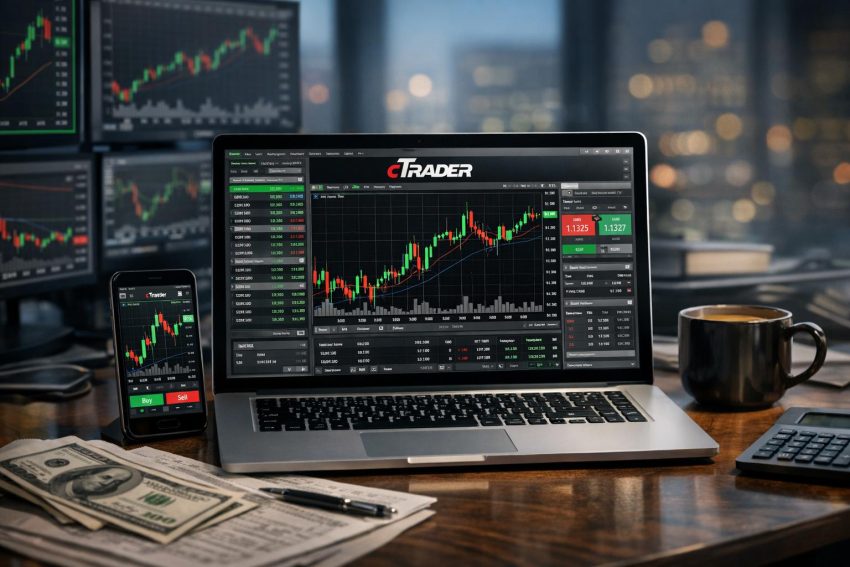
cTrader is an electronic trading platform developed by Spotware for trading financial instruments through participating brokers. It is closely associated with foreign exchange and contracts for difference, commonly called CFDs, though each broker decides which markets appear on its version of the platform. Traders can access cTrader through desktop software, a web browser and mobile applications.
The platform combines market analysis, charting, order execution, account monitoring, copy trading and automated trading. Its interface tends to appeal to traders who want detailed pricing data and direct control over order settings. Depth-of-market displays, chart trading, adjustable workspaces and C# programming support help distinguish cTrader from several competing platforms.
cTrader is not a brokerage firm and does not hold client money. Spotware supplies the technology, while the broker handles accounts, deposits, withdrawals, pricing, execution and regulatory duties. As a result, two brokers offering cTrader may provide very different trading conditions. The logo on the platform might look familiar, but spreads, commissions and client protections can still vary considerably.
What Is cTrader?
cTrader was created by Spotware Systems, a financial technology company that supplies trading software to brokers and financial firms. Brokers can offer the platform to retail or professional clients under their own commercial arrangements. Traders then connect to the broker’s servers through the cTrader interface.
The platform acts as the link between a trading account and the broker’s pricing and execution systems. Once logged in, a user can view market prices, open charts, submit orders, monitor open positions and review account history. The broker remains responsible for providing the tradable instruments and applying its account rules.
cTrader is often compared with MetaTrader 4 and MetaTrader 5. All three platforms support manual trading, technical analysis and automated strategies, but their programming environments, interfaces and broker availability differ. cTrader uses C# for automated trading, whereas MetaTrader relies on its own MQL languages. Platform preference often comes down to workflow, broker choice and the availability of required indicators or trading programs.
The software is built around a multi-panel interface. A typical workspace includes a watchlist, one or more charts, an order-entry panel and an account section showing positions, pending orders and transaction history. Panels can be resized or rearranged, making it possible to build a clean single-chart setup or a busier multi-market screen.
How cTrader Relates to the Broker
The distinction between platform and broker affects nearly every part of trading. Spotware develops the software, but the broker sets commercial and account terms. These may include:
- Bid and ask spreads
- Trading commissions
- Margin rates and maximum gearing
- Minimum and maximum order sizes
- Available symbols and contract terms
- Financing charges for overnight positions
- Execution and slippage policies
- Deposit, withdrawal and inactivity charges
A feature shown in general cTrader documentation may not be active at every broker. Copy trading, certain order controls and access to programming interfaces can depend on the broker’s setup. Traders should check the actual account rather than assume that every cTrader installation works identically.
cTrader ID and Account Access
Many users access the platform through a cTrader ID. This login can connect supported trading accounts from one or more brokers to a single cTrader profile. The arrangement can simplify access across devices because watchlists, workspaces and some preferences may synchronize with the user profile.
A cTrader ID is not the same as a funded brokerage account. A trader must still open an account with a participating broker and complete any identity or eligibility checks required by that firm. The broker also controls deposits, withdrawals and account approval.
Users should protect both their cTrader credentials and broker account details. Reusing passwords across financial services increases exposure if another service suffers a data breach. Device locks, strong passwords and any available account verification controls offer sensible protection, though no security measure removes every risk.
Ways to Access cTrader
cTrader is generally available as desktop software, a browser-based platform and mobile applications for Android and iOS. All versions connect to the same brokerage account, but screen layout and tool availability can differ.
cTrader Desktop
The desktop application is usually the preferred version for traders who work with several charts, run automated systems or maintain a fixed trading station. A desktop installation provides more screen space than a phone and can support complex workspaces across more than one monitor.
Desktop access is also relevant for cBots and custom indicators. Depending on the current software release and operating system, development, testing and live operation may take place through cTrader’s algorithmic trading area. Traders should confirm system requirements before relying on older computers or operating systems.
A dedicated application does not guarantee perfect stability. Local internet failures, operating-system updates, computer sleep settings and antivirus controls can interrupt trading programs. Anyone running automated orders from a personal computer needs to account for these fairly ordinary problems. The market will not pause because a laptop decides it needs an update.
cTrader Web
cTrader Web runs in a supported browser and normally requires no full installation. It suits traders who use more than one computer or cannot install financial software on a work device. The web platform commonly includes watchlists, charting, account history and order management.
Browser performance can depend on available memory, the number of open tabs and network quality. Users should keep the browser updated and avoid browser extensions from unknown publishers. A public or shared computer also presents security concerns, particularly if login details are saved automatically.
cTrader Mobile
The mobile applications allow traders to monitor prices, place orders, modify stops and receive alerts away from a desktop computer. Mobile access is useful for checking an existing position or responding to a planned market event.
Smaller screens make dense chart analysis less practical. Drawing tools and indicators may be present, but reviewing several timeframes on a phone can become awkward. Mobile networks can also drop at inconvenient moments. For that reason, a phone works well as a monitoring and account-management tool but may not suit every form of active analysis.
| Version | Common Use | Practical Consideration |
|---|---|---|
| Desktop | Multi-chart analysis, cBots and longer trading sessions | Requires installation and dependable local hardware |
| Web | Browser access from different computers | Performance depends partly on browser and memory use |
| Mobile | Position monitoring, alerts and order changes | Reduced screen space can hinder detailed analysis |
Markets and Instruments on cTrader
Foreign exchange remains the market most often associated with cTrader. Depending on the broker, the symbol list may include major currency pairs such as EUR/USD, minor pairs and less frequently traded currencies. Brokers may also offer indices, metals, energy products, cryptocurrencies, company shares and other assets through CFDs.
Availability varies by brokerage firm, legal entity and client location. A symbol offered to professional clients in one country might not be available to retail clients elsewhere. Local product restrictions can also affect cryptocurrency CFDs and highly geared instruments.
Reading Contract Terms
Each instrument has contract terms that define how it trades. Traders should review these terms before opening a position. Relevant details include contract size, minimum trade volume, trading hours, price precision, margin rate and overnight financing method.
Volume can be displayed in units, lots or another measure set by the broker and platform configuration. This can cause mistakes when a trader moves from one instrument to another. One unit of currency exposure does not carry the same monetary value as one contract on an index or commodity.
Trading hours also deserve attention. Foreign exchange often trades through much of the working week, while share and index CFDs may follow exchange sessions or broker-defined hours. Spreads can widen near daily rollovers, market openings and closures.
CFDs Versus Asset Ownership
A CFD is a derivative contract based on the price movement of another asset. Buying a share CFD generally does not give the trader voting rights or direct ownership of the company’s shares. Corporate actions such as dividends may instead lead to cash adjustments under the broker’s contract rules.
CFDs allow traders to take long or short positions and to control a larger market exposure by posting margin. This structure can magnify both profits and losses. A small adverse price move may consume a large portion of the deposited funds if the position is too large.
Retail protections differ by jurisdiction. Some regulatory systems impose margin caps, negative-balance rules and standardized risk warnings. Professional classifications or offshore accounts may receive fewer protections. Traders should verify the entity named in their account agreement, not just the brand shown on a website.
cTrader Interface and Workspace
The main cTrader interface is divided into areas for market selection, chart analysis, trade entry and account monitoring. Exact labels may change between versions, but the basic structure remains recognizable.
Watchlists allow users to group instruments by category or personal preference. A trader might create separate lists for currencies, indices and commodities, or arrange symbols around trading sessions. Search functions make it easier to find an instrument where the broker offers a large catalogue.
The account area commonly shows open positions, pending orders, completed transactions and account statistics. Users can inspect entry prices, current profit or loss, trade volume, commission and attached stop levels. Column settings may allow less useful fields to be hidden.
Saving Workspaces and Templates
Chart templates preserve indicator settings, colors and visual preferences. Workspaces can save a broader screen arrangement, including chart placement and selected instruments. These functions reduce repeated setup work when switching devices or reopening the application.
A saved template records the layout, not the quality of the trading method. Loading six indicators onto every chart may look analytical while providing little new evidence. Several indicators often calculate similar forms of price momentum, so more lines do not always mean more insight.
One-Click and Chart Trading
cTrader supports rapid order entry through one-click controls and chart-based trading. Traders can submit orders from the chart, drag pending orders to new prices and adjust stop-loss or take-profit levels visually.
Fast controls suit active trading, but they leave less room to correct an input error before submission. Users should confirm the selected volume and account before turning on one-click trading. Entering ten times the intended size is a short route to an avoidable margin problem.
Charts and Technical Analysis
Charting is one of cTrader’s central functions. The platform supports candlestick, bar and line charts, along with other display formats available in a given release. Users can select time-based intervals and may have access to alternative chart periods or price representations.
Multiple charts can remain open at once. This allows comparison between related markets or review of the same instrument across several timeframes. A currency trader might monitor a daily chart for broader direction, an hourly chart for setup development and a shorter chart for entry timing.
Built-In Indicators
cTrader includes commonly used technical indicators such as moving averages, Bollinger Bands, Relative Strength Index, Moving Average Convergence Divergence, stochastic oscillators and Average True Range. Volume-related tools may use tick activity or broker-supplied data rather than centralized exchange volume, especially in foreign exchange.
Indicator parameters can usually be changed. A moving average can use a different calculation period, price source or method, while an oscillator may have adjustable threshold levels. Color and line settings help separate indicators where several appear in the same chart area.
Technical indicators describe past or current price behavior using mathematical rules. They do not know whether the next central-bank statement will surprise the market. Their value depends on how they fit into a tested trading process.
Drawing and Annotation Tools
Drawing tools generally include horizontal and vertical lines, trendlines, channels, text labels and Fibonacci studies. These tools help mark support, resistance, prior highs, prior lows and planned trade levels.
Chart drawings can support consistent preparation if the trader uses clear rules. They can also become subjective. Two traders may draw different trendlines on the same chart and both may believe the line is obvious. Written entry and exit criteria help reduce that ambiguity.
Detachable Charts and Multiple Monitors
Some cTrader versions support detachable charts or flexible chart arrangements. Traders using multiple monitors can separate order management from analysis or keep different asset groups on separate screens.
More screens do not necessarily produce better decisions. A compact workspace with relevant information may be easier to manage than a wall of charts. Hardware should serve the trading plan rather than become a hobby of its own.
Order Types and Trade Management
cTrader supports market orders, limit orders, stop orders and protective exit instructions. Broker configuration and software updates may add further controls, but the basic order logic remains consistent across most accounts.
Market Orders
A market order requests execution at the best price available through the broker at the time of processing. The displayed price may change before the order reaches the execution system. The difference between the expected price and final fill is commonly called slippage.
Slippage may be favorable or adverse. It becomes more common during rapid price movement, thin liquidity, market openings and major economic announcements. A market order prioritizes execution over an exact price, subject to any range control applied by the trader or broker.
Limit Orders
A limit order requests execution at the selected price or a better one. Buy limits normally sit below the current market price, while sell limits normally sit above it. Traders often use them to enter on a pullback or close part of a position at a planned target.
Reaching the displayed limit price does not always guarantee a full fill. Available liquidity may be too small, or the market may touch the level only briefly. Larger orders can receive partial fills where the broker’s execution arrangements permit them.
Stop Orders
A stop order becomes active after the market reaches a chosen trigger price. Buy stops normally sit above the current price, and sell stops normally sit below it. Traders commonly use stop entries for breakout methods.
Once triggered, a stop order may become a market order. The final fill can therefore differ from the trigger level. The distinction matters during price gaps or sudden announcements.
Stop-Loss and Take-Profit Instructions
A stop-loss is intended to close a position after an adverse movement reaches a defined level. A take-profit instruction attempts to close the trade after a favorable movement. Both can be attached at entry or added later, depending on platform and broker rules.
Neither instruction guarantees an exact price in all conditions. If a market reopens after a gap, the next tradable price may be far from the selected stop. Guaranteed stops are a separate broker product and are not standard on every cTrader account.
Traders should also check whether protective instructions remain on the broker’s server after the platform closes. Server-side orders can remain active without the local application, while some automated exit logic may require the cBot or computer to remain running.
Trailing Stops and Advanced Controls
A trailing stop follows price after it moves in the trade’s favor, based on a chosen distance or programmed rule. Its operation may depend on the platform version and whether the application remains connected. Users should test the behavior before relying on it with real funds.
Market-range controls can restrict how far a market order may deviate from the requested price. If no acceptable price exists inside that range, the order may be rejected. This trades execution certainty for price control, which can be useful during fast markets but may also leave the trader without a position.
Depth of Market in cTrader
Depth of Market, abbreviated as DOM, displays bid and ask prices across several levels. cTrader may present market depth in formats aimed at standard order entry, price comparison or active trading.
DOM can show how much liquidity the broker reports at each displayed price. A trader can use the panel to submit limit orders, inspect the gap between levels or estimate how a larger order might be filled.
Foreign exchange is an over-the-counter market without one centralized public order book. The displayed depth reflects the broker’s pricing sources and liquidity relationships rather than all global currency trading. Another broker may show different depth at the same moment.
Displayed orders can also change rapidly. Liquidity providers may update or withdraw quotes before a client order arrives. DOM therefore offers current execution context, not a reliable forecast of price direction. A large displayed quantity does not act as an immovable wall.
cTrader Copy
cTrader Copy allows users to follow trading strategies made available by strategy providers. Where supported by the broker, investors can review strategy statistics and allocate funds under the service’s copying rules.
Strategy pages may show historical return, drawdown, age, trade history, capital allocation and fee terms. These records can help users compare approaches, but past returns do not establish what will happen later. Market behavior changes, and a strategy with a smooth history can still suffer abrupt losses.
How Copying Results Can Differ
A follower may not receive exactly the same result as the provider. Differences can arise from account equity, deposit timing, broker pricing, commissions, available symbols and execution speed. A strategy that opens positions during fast price movement may show wider variation between accounts.
Allocation rules also matter. Users should check how the service scales trade size, handles deposits and withdrawals, and responds when follower equity falls. Existing positions may be copied differently from new positions, depending on service rules in force at the time.
Fees and Risk Measures
Strategy providers may charge management, performance or volume-based fees. The charging structure should be reviewed alongside gross returns. A profitable record before fees can look less attractive after all costs are applied.
Drawdown deserves more attention than headline return alone. Users should assess the largest recorded decline, position concentration, average holding period and use of stop-loss orders. A short history may not include enough market conditions to show how the strategy behaves under stress.
Copy trading transfers trade instructions, not responsibility. The follower still chooses the strategy and amount allocated. Regular review remains necessary, particularly if the provider changes trading style or position size.
Automated Trading with cTrader Algo
cTrader supports automated trading programs known as cBots. A cBot can read market data, calculate trading signals and submit or manage orders according to programmed rules. Developers can also create custom indicators for chart analysis.
The programming environment uses C# and .NET, both widely used in commercial software development. This gives experienced programmers access to familiar language features, development tools and testing practices.
How cBots Operate
A cBot follows instructions written in its code. It may monitor moving-average crossings, price breakouts, time conditions or account statistics. More advanced programs can manage several positions, apply portfolio rules or exchange data with approved external services.
Automation improves consistency of execution, but it does not repair weak trading logic. A program can repeat a poor decision much faster than a person. Traders should know what conditions trigger entry, exit and position sizing before allowing code to control a live account.
Backtesting
Backtesting applies a cBot’s rules to historical data. The resulting report may include net profit, drawdown, trade count, win rate and other performance measures. It can reveal coding errors and show whether the strategy behaved as intended during the tested period.
Historical tests have clear constraints. Results depend on data quality, spread assumptions, commission settings and how accurately the test models order execution. Real trades may face slippage, latency, rejected orders and changing financing charges.
Repeatedly adjusting a strategy until it fits old data can produce curve fitting. The final program may describe historical noise rather than a repeatable market pattern. Testing on data not used during development can provide a more credible check, though it cannot predict future performance.
Demo and Forward Testing
Forward testing runs the strategy as prices arrive, often on a demo account. This can reveal timing, connection and order-handling issues that are less visible in a backtest. Demo execution can still differ from live execution, particularly during volatile periods.
A cautious live test with small exposure provides another layer of evidence. Even then, a favorable trial does not prove long-term profitability. Traders need monitoring procedures and a defined point at which the program will be paused.
Virtual Private Servers
Traders who run cBots continuously may use a virtual private server, or VPS. A VPS can keep the trading application online when a home computer is switched off. Server location may also reduce network delay if it is close to the broker’s infrastructure.
A VPS can still fail. Maintenance, operating-system errors, expired billing and application crashes remain possible. Users should set alerts and check active programs regularly rather than assume remote hosting removes operational risk.
cTrader APIs and External Applications
Spotware provides application programming interfaces that allow approved external software to communicate with cTrader services. Developers may use an API to retrieve market data, read account information, submit orders or build independent trading interfaces.
Common uses include account dashboards, analytical software, reporting tools and programmatic trading systems. API access requires programming knowledge as well as secure handling of authentication credentials.
Developers should validate order size, symbol, price and account details before sending any instruction. Error handling also matters. A program needs a defined response if the broker rejects an order, the network disconnects or data arrives late.
Rate restrictions, permission rules and available functions can change. Users should consult current developer documentation and broker terms before deploying an application. Storing access tokens in plain text or public code repositories creates an avoidable security risk.
Risk Management Features
cTrader provides order and account tools that can support risk control, including stop-loss instructions, margin displays, position data and account statistics. These tools work best as part of written trading rules.
Position Size and Monetary Exposure
Before placing an order, a trader should calculate how much money may be lost if the stop is reached. This requires the distance to the stop, trade volume and monetary value of each price movement.
A position that looks small in lots may still carry high exposure on a volatile instrument. Contract size differs across currencies, metals, indices and share CFDs. The order ticket and symbol details should be checked each time a new market is traded.
Balance, Equity and Margin
Balance generally reflects account funds after closed transactions. Equity adjusts that figure for unrealized profit and loss on open positions. Used margin is the amount reserved to support current exposure, while free margin is the remaining amount available to absorb losses or support new trades.
Broker definitions and calculations can vary. If equity falls too far, the account may reach a margin-call or stop-out threshold. The broker may then close one or more positions, sometimes without advance contact, according to its published rules.
Margin-based trading increases the effect of price changes. A trader can control a position worth far more than the deposit assigned to it. That can make capital use efficient, but it also allows ordinary market movement to cause a large percentage loss.
Market Gaps and Negative Balances
Prices can gap when markets reopen or react to unexpected news. During a gap, no tradable prices may exist between the close and the next available quote. A stop-loss can then fill beyond its selected level.
Some retail accounts include negative-balance protection under regulatory or broker rules. Such protection may reset a qualifying negative balance to zero, subject to account terms. It does not prevent the loss of deposited funds, and it may not apply to professional or offshore accounts.
Trading Costs on cTrader
Spotware does not set the full cost of trading for brokerage clients. The broker and account type determine spreads, commissions, financing charges and non-trading fees.
Spreads and Commissions
The spread is the difference between the bid and ask price. Some accounts use wider spreads without a separate trading commission. Others advertise narrower raw spreads and charge commission according to volume.
Commission descriptions should be read carefully. A quoted charge may apply per side or per completed trade. It may also be expressed per lot, per million in currency volume or under another formula.
Overnight Financing
Positions held beyond the broker’s daily rollover time may incur financing or swap charges. The rate can differ between long and short positions. It may also change as interest rates, borrowing costs or broker schedules change.
Some days can carry a multiple financing adjustment to account for weekends or settlement conventions. Traders holding positions for several weeks should include these costs in their performance records.
Other Charges
Brokers may charge for currency conversion, withdrawals, inactivity or market data. Copy strategies can add provider fees, while a VPS or commercial cBot creates separate operating costs.
Execution quality acts as an indirect cost. Repeated adverse slippage can materially affect a short-term method even where the advertised spread appears low. Traders comparing brokers should assess average trading cost rather than one attractive minimum-spread figure.
Choosing a cTrader Broker
Broker selection has a direct effect on safety, pricing and execution. A polished cTrader interface does not compensate for weak account terms or poor regulatory standing.
Regulation and Legal Entity
Prospective clients should identify the legal company that will hold the account and check it against the relevant regulator’s register. A broker group may operate several companies under one brand, each serving different regions.
Regulation can set rules for client-money handling, financial reporting, disclosures and complaint procedures. It does not prevent trading losses or guarantee that a broker will never fail. Compensation arrangements, where available, also have eligibility and payment caps.
Pricing and Execution
Compare typical spreads during the hours you expect to trade, not just the lowest advertised figure. Commission, financing and conversion costs should be included. Active traders may also want data on execution speed, rejected orders and slippage distribution.
Broker labels such as STP, ECN or no dealing desk do not by themselves describe every execution detail. The formal execution policy provides better evidence about order handling, price sources and conflicts of interest.
Account and Platform Features
Confirm that the broker offers the instruments, account currency and cTrader functions you intend to use. A trader interested in cTrader Copy or API development should verify support before depositing. The same applies to demo accounts, cBots and regional mobile availability.
Deposit and withdrawal methods also matter. Review processing times, charges, minimum amounts and whether funds must return through the original payment method. Customer support should be tested with a practical question before a large deposit is made.
| Broker Factor | What to Check |
|---|---|
| Legal status | Company name, licence number and regulator register |
| Trading costs | Typical spread, commission, financing and conversion |
| Execution | Slippage policy, order rejection rules and market hours |
| Markets | Symbols, contract sizes and regional restrictions |
| cTrader functions | Copy, Algo, API, mobile and web access |
| Payments | Methods, fees, processing times and withdrawal checks |
cTrader Compared with MetaTrader
cTrader and MetaTrader serve a similar purpose but use different interfaces and development tools. cTrader is often preferred by traders who value its chart presentation, order-entry design, depth-of-market views and C# support.
MetaTrader has been offered by brokers for many years and has a large catalogue of third-party indicators and automated programs. Existing users may already own MQL-based tools that cannot run directly on cTrader. Rewriting a strategy in C# takes time and introduces the possibility of coding differences.
Broker availability may settle the choice. A trader who prefers cTrader still needs a broker with suitable regulation, markets and costs. Conversely, a strong broker offering another platform may be a better match than a weaker firm offering preferred software.
There is no universal winner. The better platform is the one that supports the trader’s method without adding unnecessary friction. Testing both through demo accounts can show which order flow and interface feel more practical.
Advantages and Constraints of cTrader
cTrader combines manual trading, advanced charting, depth information, copy trading and C# automation in one platform family. Its clean interface and consistent access across desktop, browser and mobile devices can suit traders who change devices during the week.
The use of C# appeals to programmers already familiar with .NET. cTrader also offers detailed order controls and clear presentation of position data. Chart trading and detachable layouts can improve speed for users who have already set firm risk rules.
There are constraints. Not every broker offers cTrader, and third-party software made for MetaTrader will not run on it without redevelopment. Broker support for Copy, APIs or certain controls may vary. Mobile charts provide less working space, while automated trading introduces technical maintenance duties.
Most performance factors sit outside the platform. Strategy quality, trade size, costs, execution and discipline determine results. Software can make order placement faster, but it cannot make a weak entry profitable.
Getting Started with cTrader
A new user should begin by choosing a regulated broker, checking the legal entity and opening a demo account where available. The demo can be used to learn order entry, chart controls and margin calculations without risking deposited money.
After logging in, create a short watchlist rather than filling the screen with every available symbol. Open the contract details for each chosen instrument and note its trading hours, volume rules, margin requirement and financing method.
Practice placing market, limit and stop orders. Add a stop-loss and take-profit, then modify them from both the order panel and chart. Review how spread and commission appear in the account history. It is better to make basic input mistakes with virtual funds.
Users planning to run cBots should backtest the code, inspect individual trades and conduct forward testing. Alerts should be configured for failed orders or stopped programs. Third-party code should be treated cautiously, especially if its trading logic is hidden.
Moving from Demo to Live Trading
Demo results can differ from live results because virtual accounts may not reproduce the same liquidity, slippage or emotional pressure. Moving to live trading should involve smaller exposure than the maximum allowed by the broker.
Set a monetary loss cap for each trade and for the account over a defined period. Record entry reason, position size, exit and trading costs. A journal can show whether returns came from a repeatable process or a short favorable run.
Account statements should be reconciled with personal records. Check commission, financing, deposits and withdrawals rather than relying only on the current balance. Small recurring costs are easy to ignore and can materially alter long-term results.
Who May Find cTrader Suitable?
cTrader may suit active foreign exchange and CFD traders who want detailed order controls, flexible charts and depth-of-market data. It can also fit C# developers who prefer building automated strategies with familiar programming tools.
Copy trading users may appreciate having provider statistics and account allocation within the same platform. Traders who move between desktop and mobile devices can benefit from synchronized access, provided their broker supports the required functions.
The platform may be less suitable for investors who only want to buy and hold underlying shares, since many cTrader brokers focus on leveraged derivatives. It may also be inconvenient for traders whose existing indicators or automated programs were written only for MetaTrader.
cTrader is a capable trading platform, but its software features should be assessed alongside broker regulation, contract terms and execution quality. Traders who learn the order controls, verify costs and apply measured position sizing are in a better position to use it properly. Profitability still depends on the trading method and how consistently risk is controlled; the platform supplies the tools, not the result.