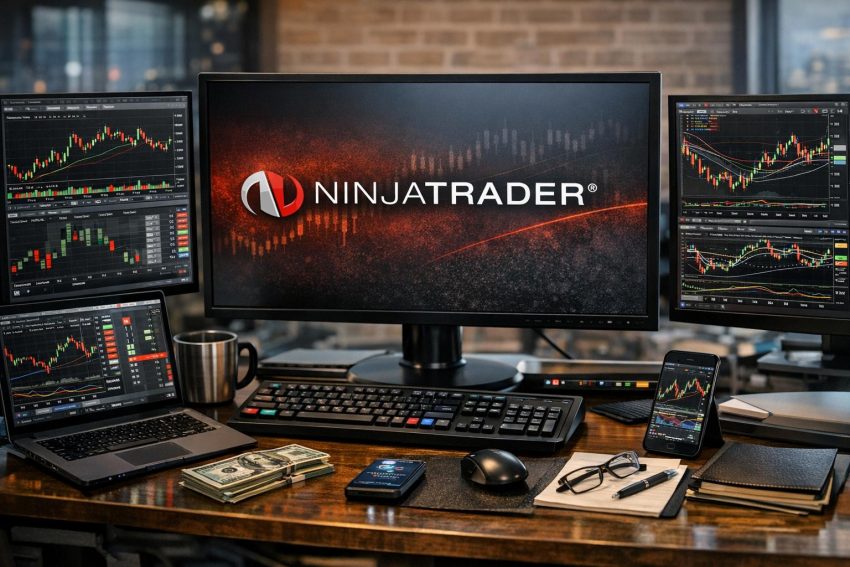
NinjaTrader is a trading platform and futures brokerage built mainly for active traders. It provides access to futures and options on futures, along with charting, market analysis, manual order entry, simulated trading, and strategy automation. Traders can use desktop software, a browser-based platform, or mobile applications, though the desktop edition has the broadest set of analytical and development tools.
The platform is commonly used by day traders, systematic traders, and futures market participants who need more control than a basic brokerage application offers. It is not designed primarily for retirement investing, passive fund ownership, or managed portfolios. Its main purpose is short-term and systematic trading in exchange-listed derivatives.
NinjaTrader combines software, market-data connections, and brokerage access within one account structure. Pricing, exchange subscriptions, margin requirements, available contracts, and platform features can vary by account plan and country. Traders should check the current terms directly with NinjaTrader before depositing funds because futures brokerage policies can change, sometimes with little advance notice.
What Is NinjaTrader?
NinjaTrader started as a trading software provider before adding brokerage services. Its desktop platform became popular among futures traders because it supports advanced chart construction, ladder-based order entry, custom indicators, historical testing, and automated trading systems.
The service brings several trading functions into one platform:
- Real-time and historical market data
- Technical charts and market analysis
- Manual and automated order entry
- Open-position and account monitoring
- Strategy development and historical testing
- Brokerage account administration
Brokerage clients can trade through supported clearing and market-data arrangements. Some users may also connect NinjaTrader software to a compatible outside broker or data provider, depending on current platform support and account eligibility. Connections differ in their data coverage, order-routing behavior, and access to platform functions.
NinjaTrader focuses heavily on futures markets. These markets include contracts based on stock indexes, government debt, currencies, metals, energy products, and agricultural commodities. Options on futures may also be available to approved clients, subject to account permissions and regional rules.
This focus separates NinjaTrader from a standard multi-asset investing account. A person who mainly buys shares, exchange-traded funds, or bonds and holds them for years may find little reason to use its advanced tools. A futures trader who needs detailed order control may view the same tools rather differently.
NinjaTrader Platform Versions
NinjaTrader can be accessed through desktop, web, and mobile software. The account is shared across supported versions, but the features are not identical. A trader may conduct research and strategy work on the desktop platform, place a basic order through a browser, and monitor the resulting position from a phone.
| Platform | Best suited to | Common functions |
|---|---|---|
| Desktop | Active and systematic traders | Advanced charts, custom indicators, strategy testing, automation, and detailed order entry |
| Web | Traders using a browser or secondary computer | Charts, watchlists, account monitoring, and manual order management |
| Mobile | Position checks and order management away from a desk | Quotes, charts, account details, alerts, and supported order functions |
The desktop edition remains the main choice for traders who use NinjaScript, custom indicators, multi-window layouts, or automated systems. Web and mobile access are more convenient, but convenience does not always mean feature parity. Anyone relying on a certain order type or account function should confirm that it works on the chosen device before opening a live position.
NinjaTrader Desktop
NinjaTrader Desktop is a Windows-based trading application with a modular layout. Users can open charts, order-entry panels, market scanners, account displays, news windows, and strategy tools as separate windows. These windows can be arranged into saved workspaces for different markets or trading methods.
A trader might keep an equity index workspace with several time frames, a price ladder, and an account panel. A separate workspace could hold energy futures charts and contract data. Saving each setup reduces the need to rebuild the screen at the start of every session. It also helps prevent unrelated charts from turning the display into a wall of blinking numbers.
Computer performance matters more with the desktop platform than with a basic browser application. Multiple charts, tick-based calculations, custom scripts, and large historical data sets can consume memory and processor capacity. A stable internet connection is also required for dependable real-time data and order communication.
Traders should test a workspace before live use, particularly after installing a platform update or third-party add-on. A chart that loads slowly during simulation may become a more serious concern when several live positions are open.
Control Center and Workspaces
The Control Center acts as the main desktop hub. It provides access to account connections, orders, executions, positions, logs, platform settings, and analysis windows. Traders can review whether an order is working, filled, rejected, or cancelled without relying only on a chart marker.
Saved workspaces help separate trading tasks. Templates serve a related purpose by storing chart settings, indicator configurations, or order-management parameters. A trader can reuse a chart template across several contracts while keeping each contract in its own window.
Workspace organization may sound like a minor matter, but poor screen design can contribute to errors. Similar-looking contracts, hidden account panels, and overlapping order windows make it easier to select the wrong market or account. Clear labels and a restrained layout are generally more useful than filling every spare pixel.
Charting Features
NinjaTrader charts support real-time and historical data across many display formats. Standard choices include minute, daily, weekly, and monthly bars. Active traders can also use tick, volume, range, and other bar constructions that measure market activity without relying only on elapsed time.
A tick chart creates a new bar after a chosen number of transactions. A volume chart creates one after a chosen quantity has traded. A range chart is based on price movement. Each format presents market behavior differently, but none has an automatic analytical advantage. The chosen format must suit the trader’s method and the contract’s trading activity.
Built-in studies cover common areas such as trend, momentum, volatility, and volume. Moving averages, Bollinger Bands, the relative strength index, average true range, and volume-based tools are typical examples. Users can adjust calculation periods, visual settings, data inputs, and chart placement.
Drawing tools allow traders to mark support and resistance areas, prior highs and lows, trend lines, measured moves, and text notes. Objects can be applied to one chart or synchronized across related charts where supported. This is useful when the same futures contract is viewed through several time frames.
Indicators remain mathematical summaries of past and current data. They do not know whether an employment report will surprise the market or whether a large order will appear at the next price level. Combining more indicators does not necessarily produce better analysis; it may produce a busier chart.
Market Analyzer
The Market Analyzer is a quote and scanning window used to monitor several instruments at once. Columns can display prices, daily changes, indicator values, position data, and other selected measures. Traders can sort contracts or apply visual conditions to identify activity that matches their rules.
A futures trader might use the Market Analyzer to compare trading volume across equity index, currency, and energy contracts. Another might watch the distance between the current price and a moving average. The scanner does not place trades on its own unless connected to programmed logic. It presents data so the user can make a decision or pass the result to another process.
Order Entry and Position Management
NinjaTrader supports manual order entry through charts, order tickets, and ladder-style interfaces. Available order types commonly include market, limit, stop-market, and stop-limit orders. Exchange rules and connection technology determine whether a chosen instruction is accepted and where it is held.
A market order requests execution at the best available price. It prioritizes execution rather than price. A limit order sets the worst acceptable price but may remain unfilled. A stop-market order activates after its stop level is reached and then behaves as a market order. A stop-limit order becomes a limit order after activation, which controls price but creates the possibility of no fill.
Order names are straightforward; live behavior can be less tidy. Fast price movement, thin order books, exchange pauses, and connection delays can affect execution. Traders should know which orders are resting at the exchange, which are managed by brokerage systems, and which depend on the local trading platform.
SuperDOM Price Ladder
NinjaTrader’s SuperDOM displays market prices vertically, along with bid and ask activity where supported. Traders can submit, move, and cancel orders around the current market from the ladder. The format is widely used in futures because it presents nearby price levels and working orders in a compact display.
The SuperDOM can improve order speed for experienced users, but it leaves little room for casual clicking. Quantity, account, contract month, and order direction should be checked before submission. Buying five contracts instead of one is not a software tutorial anyone wants to repeat.
Displayed bid and ask quantities should also be interpreted carefully. Orders can be added, changed, or cancelled before execution. Visible size does not guarantee that the market will remain at that level when another order arrives.
Chart Trader
Chart Trader allows orders to be entered and managed directly from a price chart. Working orders appear at their price levels and can generally be adjusted by dragging them. Open-position and profit-or-loss data may also be displayed alongside the chart.
This approach helps connect order placement with technical analysis. A trader can place a limit order near a marked support area or move a protective stop as a position develops. The visual format is convenient, but confirmation settings deserve attention. Accidentally dragging an order to the wrong price can alter risk very quickly in a fast contract.
ATM Strategies and Bracket Orders
NinjaTrader’s Advanced Trade Management, commonly called ATM, lets users create predefined order-management templates. An ATM template can attach one or more profit targets and protective stops to an entry. It may also include rules for moving a stop after price reaches a chosen level.
Suppose a trader enters one micro equity index contract and wants a fixed protective stop with a separate profit target. An ATM template can submit those exit orders according to saved settings. This reduces repetitive order entry, although it does not make the risk disappear.
Traders should learn how linked orders behave after partial fills, manual changes, disconnections, or platform restarts. They should also confirm whether one exit cancels the other. An incorrectly configured bracket can leave an unwanted working order after the position has closed.
Web and Mobile Trading
NinjaTrader Web provides browser-based access without requiring the full desktop installation. It can be useful on computers where installing trading software is impractical. Supported functions may include charts, quote lists, account details, and order entry.
The mobile application serves a similar role on smartphones and tablets. Traders can monitor open positions, review prices, and manage supported orders while away from the main computer. Mobile access can also provide a backup route if the desktop platform stops responding, provided the brokerage connection itself remains available.
Neither version should be treated as a perfect emergency system. A phone can lose its data connection, a browser session can expire, and a device battery can run flat at an awkward moment. Traders holding short-term positions should keep the broker’s support details and liquidation procedures available outside the platform.
Before depending on mobile order entry, it is sensible to test login procedures, order confirmations, account selection, and contract selection in simulation. Futures symbols can look very similar across expiration months. A small screen does not make that distinction easier.
Futures Markets Available Through NinjaTrader
NinjaTrader brokerage accounts are primarily associated with exchange-listed futures and approved options on futures. Availability depends on exchange access, account permissions, residence, and current brokerage policy.
Common futures groups include:
- Equity index contracts based on major stock indexes
- Interest-rate and government debt contracts
- Currency futures
- Energy products such as crude oil and natural gas
- Metals such as gold, silver, and copper
- Agricultural products, livestock, and soft commodities
Many established futures are offered in standard and smaller contract sizes. Micro contracts have a lower tick value than their larger counterparts, allowing finer control over position size. They still carry real financial exposure and can produce rapid losses. “Micro” describes contract scale, not the seriousness of the trade.
Contract Specifications
Every futures contract has defined terms. Traders need to know the contract unit, minimum price movement, monetary tick value, trading hours, expiration schedule, and settlement process. These details vary widely.
A one-point move in one index contract may have a very different cash value from a one-point move in another. Energy and agricultural contracts use their own quotation conventions. Entering a trade based only on the chart price, without checking tick value, makes accurate position sizing nearly impossible.
Contract months also matter. Trading often migrates from an expiring contract to a later month before the final trading day. The preferred rollover date can vary by market. Volume and open interest often provide useful evidence of where activity has moved.
Settlement and Expiration
Some futures settle in cash, while others may involve physical delivery under exchange rules. Retail brokers usually maintain procedures intended to close or restrict positions before delivery becomes an issue. Those procedures should never be treated as a substitute for monitoring expiration.
A broker may raise margin, prevent new positions, or liquidate an open contract as expiration approaches. Options on futures have their own exercise and assignment terms. An option position can result in a futures position after exercise or assignment, creating exposure the account holder may not have planned to carry.
Liquidity and Trading Hours
Futures often trade for much of the day, but activity is not evenly distributed. Bid-ask spreads and available size may differ between the main daytime session and overnight hours. Economic reports, central bank announcements, inventory data, and contract rollover periods can also alter trading conditions.
High reported volume does not guarantee an easy fill at every price. Order size, time of day, contract month, and current volatility all affect execution. Thin contracts may show wider spreads and larger price jumps, raising the cost of entering or leaving a position.
NinjaTrader Fees and Pricing
The cost of using NinjaTrader may include commissions, exchange charges, regulatory assessments, clearing fees, market-data subscriptions, and platform plan costs. Charges depend on the selected pricing arrangement, instrument, exchange, and account status.
Commission advertisements often show a per-contract rate for one side of a trade. A complete trade has an entry and an exit, so both sides should be included. Exchange, clearing, and regulatory charges may sit outside the advertised brokerage commission.
| Cost category | How it may apply |
|---|---|
| Broker commission | Usually charged per contract on entry and exit |
| Exchange fee | Charged according to the exchange and contract |
| Clearing or regulatory charge | Applied to eligible futures transactions |
| Market data | Often billed by exchange package and user classification |
| Platform plan | May alter software access or commission rates |
| Account service charges | May apply to withdrawals, inactivity, routing, or other account events |
Pricing plans can involve a trade-off between an upfront or recurring platform cost and lower transaction rates. A high-volume trader may calculate that lower per-contract commissions offset the plan fee. An occasional trader may reach the opposite result.
A practical comparison should estimate monthly contract volume and include all expected charges. Looking only at the lowest advertised commission can give a poor estimate of actual trading cost.
Market-Data Fees
Real-time exchange data usually requires a subscription. Fees differ by exchange group and by whether the subscriber qualifies as a non-professional or professional user. Exchanges define those classifications, and professional rates can be much higher.
Delayed data may be enough for platform practice or end-of-day study, but it is generally unsuitable for short-term live execution. A trader should also check whether the selected package includes market depth or only the best bid and offer.
Margins
Futures margin is a performance deposit rather than a down payment on the contract’s full notional value. NinjaTrader may publish intraday margin levels for eligible contracts, while higher requirements can apply outside designated day-trading hours.
Initial margin is the amount generally required to open or carry a position under the applicable rules. Maintenance margin is the equity threshold associated with keeping that position. Brokers may apply house requirements above exchange figures.
Intraday margin can be far below the contract’s economic exposure. That does not make the trade low risk. A relatively small market move can consume a large portion of the deposited funds. Margin requirements can also rise during volatile periods, before holidays, near expiration, or around scheduled events.
Automated Trading and NinjaScript
NinjaTrader supports programmed indicators and trading strategies through NinjaScript, which is based on the C# programming language. Developers can define market conditions, calculate indicator values, manage orders, and create custom analytical tools.
A strategy might enter after a moving-average condition, leave after a volatility threshold, and stop trading after a preset daily loss. More advanced programs may use several data series, time filters, custom order logic, or external inputs.
Automation can apply rules consistently and monitor markets without manual clicking. It can also repeat a programming mistake with impressive speed. Traders remain responsible for orders generated by their software.
Strategy Builder
Users who do not write code may be able to create rule-based strategies through the Strategy Builder. The tool uses menus and condition fields to define entries, exits, and other actions. It can also provide a starting structure for later NinjaScript work.
Visual development reduces the need to type code, but users still need precise trading rules. A phrase such as “buy when the market looks strong” cannot be tested until strength has a measurable definition. Entry timing, order type, stop behavior, and position size must all be stated in operational terms.
Backtesting With Strategy Analyzer
The Strategy Analyzer applies programmed rules to historical data. It can report net profit, trade count, win rate, average trade, maximum drawdown, and other performance measurements. Traders can compare settings or test rules across several instruments and periods.
Historical tests depend heavily on assumptions. Bar data may not reveal the exact sequence of price movement within each bar. Commission estimates, slippage, spread, contract rollover, and order priority also affect results. A clean equity curve may become far less attractive after realistic trading costs are included.
Overfitting occurs when rules are adjusted to match past noise rather than repeatable behavior. Warning signs include too many parameters, narrow entry conditions, and performance that collapses after a small setting change. Testing on data that was not used during development can provide a more demanding check.
Playback, Forward Testing, and Live Deployment
Market Replay or playback functions can reproduce recorded market sessions for practice and strategy testing. This lets traders review order behavior at a chosen speed without waiting for the next live session.
Forward testing runs a strategy on new data after development. Simulation can then show how the program handles incoming prices and account state. Live testing with the smallest practical exposure provides another layer of evidence, though it still cannot guarantee future results.
Automated systems require monitoring. Data interruptions, rejected orders, partial fills, computer sleep settings, account disconnections, and synchronization errors can change their behavior. Traders should set position caps, daily loss controls, and a manual shutdown process before allowing a strategy to submit live orders.
Third-Party Indicators and Add-Ons
NinjaTrader supports indicators, strategies, and utilities made by outside developers. Add-ons may provide order-flow displays, custom bar types, trade management, market scanners, or links to outside services.
Quality varies. Marketing material may rely on hypothetical performance, selected test periods, or settings that are difficult to reproduce. Buyers should review documentation, update history, support arrangements, refund terms, and compatibility with the current NinjaTrader release.
Installing outside code also creates a security and stability concern. A poorly written script can slow chart loading, produce errors, or conflict with another add-on. Files should come from reputable providers, and backups should be made before installation. Testing in a separate workspace or simulation account is a sensible precaution.
Paper Trading and Simulation
NinjaTrader includes simulated trading for learning the interface and testing preliminary ideas without sending live orders. Simulation is useful for practicing contract selection, changing order quantity, placing stops, cancelling orders, and reading account displays.
It also allows a trader to rehearse operational routines. One useful exercise is to open a simulated position, disconnect the data feed, reconnect, and confirm the account state. Another is to practice flattening all open positions and cancelling working orders.
Simulated results often differ from live results. A simulator may fill an order that would have waited in a real queue. It may not fully reproduce partial fills, slippage, latency, or thin liquidity. Real commissions and data costs may also be absent unless entered into the test settings.
Paper profits should therefore be treated as training records rather than proof that a method will earn money. A trader who performs well in simulation still needs strict position sizing when moving to a funded account.
Opening and Funding a NinjaTrader Account
A brokerage application generally requires identity details, tax records, employment information, financial data, and trading experience. Applicants must review account agreements and futures risk disclosures. Approval depends on brokerage policy, account type, residence, and regulatory requirements.
Options on futures may require separate approval. The broker may assess income, net worth, experience, and the proposed use of the account before granting permission.
Funding methods and processing times vary. Bank transfers may take several business days, while withdrawal rules can include verification steps or holding periods. Traders should review deposit instructions carefully because sending funds with incorrect account details can delay access.
Once funded, the account may display cash balance, net liquidation value, margin in use, available funds, realized profit or loss, and unrealized profit or loss. These figures serve different purposes. Unrealized gains can disappear as prices move, and available funds can fall rapidly after a margin change.
Risk Controls for NinjaTrader Users
Risk control starts with position size. A trader can calculate the planned cash risk by multiplying the stop distance by the contract’s tick value and the number of contracts. Estimated slippage and transaction charges should be added to that figure.
If a contract has a tick value of X and the stop is Y ticks away, one contract carries planned price risk of X multiplied by Y. The true loss may be higher if the stop fills beyond its trigger.
Daily and weekly loss thresholds can prevent one poor session from becoming a much larger account problem. The threshold should be decided before trading begins, not after a string of losses. Automated restrictions may help, but the trader should verify how they operate and whether they can be overridden.
Stops Are Not Guaranteed Prices
A stop order is a risk-management instruction, not a guaranteed fill. After activation, a stop-market order seeks the next available price. If the market gaps, the execution may occur well beyond the stop level.
A stop-limit order controls the acceptable price range but can remain unfilled as the market moves away. Choosing between these orders involves a trade-off between execution certainty and price control.
Overnight and Event Risk
Positions held outside the main session may face thinner liquidity and wider spreads. Prices can also move sharply after economic releases, central bank statements, geopolitical events, or unexpected market closures.
Holding a futures position overnight may require higher margin than day trading. Traders should check the applicable cutoff time and account requirement rather than assuming an intraday rate will continue after the session ends.
Technical and Operational Risk
Not every trading loss begins with a market opinion. Wrong account selection, incorrect quantity, stale data, duplicate orders, and failed internet connections can all create exposure.
A basic operating routine should include checking the active account, contract month, quantity, working orders, connection status, and platform clock. Traders should also know how to contact the brokerage trade desk if the platform becomes inaccessible.
NinjaTrader Customer Support and Learning Materials
NinjaTrader provides platform documentation, account assistance, and educational material through its support channels. The available contact methods and operating hours can vary by issue and region.
Platform documentation is especially useful for order behavior, connection setup, strategy functions, and error messages. User forums may offer practical ideas, but forum posts are not brokerage instructions. Older posts can also refer to platform versions or policies that no longer apply.
Before live trading, users should know where to find support for rejected orders, account access, deposits, withdrawals, and open-position emergencies. Technical software support and brokerage trade-desk support may handle different matters.
Benefits and Practical Concerns
NinjaTrader’s strongest appeal is its futures-focused toolset. The desktop platform offers detailed charts, several order-entry methods, simulation, historical analysis, and support for programmed strategies. Users can build workspaces around their preferred contracts rather than accept a fixed screen layout.
The combination of platform and brokerage access may also reduce the need to maintain separate software and account relationships. Web and mobile versions provide useful access away from the desktop application.
The same flexibility creates a steeper learning curve. Workspaces, data connections, order templates, account metrics, and custom scripts take time to learn. Traders who rush into live markets may make software errors before their market analysis has any chance to matter.
NinjaTrader is also less suitable for broad, long-term investing. People who want mutual funds, retirement planning, bond portfolios, or managed allocation services will probably prefer a general investment broker. Product access and account protections should be compared based on the trader’s country and legal account structure.
Is NinjaTrader Suitable for You?
NinjaTrader may suit active futures traders who want advanced charting, ladder-based execution, programmable studies, or automated strategies. It may also fit developing traders who are prepared to spend time in simulation before using real funds.
It is less appropriate for someone who wants a simple application for occasional stock purchases or passive portfolio management. The desktop software can also be more than a casual trader needs.
Before opening an account, compare current commissions, exchange charges, data fees, margins, withdrawal procedures, supported contracts, and customer service arrangements. Test the platform version you plan to use, including order cancellation and emergency position closure.
NinjaTrader provides capable analysis and execution tools, but the software cannot remove futures risk. Results still depend on trade selection, position size, costs, execution quality, system reliability, and discipline. The platform can process an order exactly as instructed; whether that instruction was sensible remains the trader’s responsibility.