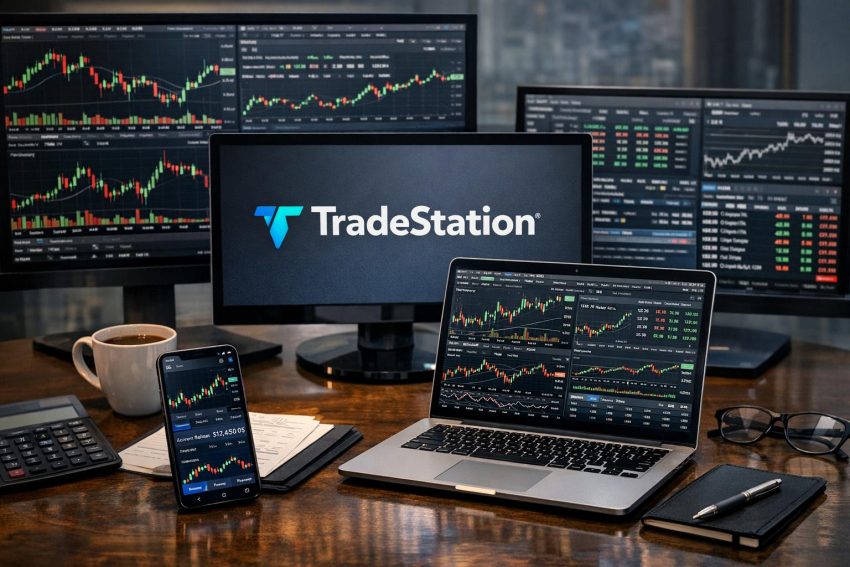
TradeStation is a U.S.-based brokerage and trading technology provider known for advanced charting, rule-based strategy testing, market scanning, and automated order execution. Its desktop software has long attracted active stock, options, and futures traders who want more control than a basic brokerage app provides. Browser and mobile platforms offer easier access for routine account monitoring and order placement.
The company sits closer to a professional trading workstation than a stripped-down investing app. That distinction matters. A customer who buys an index fund every month may use only a small portion of the available tools. An active trader who builds indicators, tests entry rules, or watches several futures markets at once may find the platform far more relevant.
Products, commissions, data charges, margin policies, and account eligibility depend on the customer’s location and the TradeStation entity holding the account. This review concentrates on the company’s United States brokerage operation. Published rates and product availability can change, so customers should compare the latest account agreements, pricing pages, and regulatory disclosures before depositing money.
What Is TradeStation?
TradeStation is a financial services company associated with Monex Group, a Japanese financial group. U.S. securities brokerage services are generally provided by TradeStation Securities, Inc. Separate legal and account arrangements may apply to futures or other products.
The company developed its reputation through technical-analysis software rather than through traditional financial planning. Early versions of the platform focused on chart studies, historical testing, and programmable trading rules. That heritage remains visible in the current desktop software, where charts, scanners, strategy reports, order tools, and custom code sit at the center of the user experience.
TradeStation serves self-directed investors, active traders, systematic traders, and professional market participants. It is not mainly a financial-advice service. Customers normally make their own investment and trading decisions, select their own order types, and remain responsible for risk management.
The brokerage has supported stocks, exchange-traded funds, equity options, and futures. Other offerings have changed over time. Cryptocurrency services, in particular, have been provided through separate arrangements and have not always remained available in the same form. Anyone interested in digital assets should verify the current offering rather than relying on an older TradeStation review.
How TradeStation Differs From a Basic Brokerage App
Many brokerage apps focus on account balances, watchlists, simple charts, and straightforward buy or sell orders. TradeStation goes further by letting users create multi-window workspaces, apply custom studies, monitor market depth, test rule-based strategies, and automate eligible orders. The extra capability comes with a steeper learning curve.
A trader can build a workspace with an index chart, several stock charts, an options chain, open orders, positions, time and sales, and a market scanner. Changes can be saved for later sessions. A second workspace might focus on futures, while another might hold longer-term stock research. This arrangement is useful for traders who separate strategies by product or time frame.
The platform also supports a more systematic approach. Rather than buying because a chart “looks good,” a user can define entry, exit, and position rules in code. The software can apply those rules to historical prices and produce a performance report. That does not make a strategy reliable, but it does turn a vague trading idea into something that can be measured.
TradeStation is less focused on retirement planning tools, managed portfolios, branch access, or adviser-led services. Investors who want personal financial planning may need another provider or an independent adviser alongside the brokerage account.
TradeStation Trading Platforms
TradeStation provides desktop, browser-based, and mobile access. The platforms serve different purposes. The desktop program offers the broadest analytical capability, while web and mobile access are more practical for checking positions or placing routine orders away from a primary computer.
TradeStation Desktop
The Windows desktop platform is the company’s main analytical program. It supports configurable workspaces, advanced charting, order entry, market scanning, options analysis, historical strategy testing, and EasyLanguage programming. Traders can place several tools on one screen or spread them across multiple monitors.
Charts may display price bars, candlesticks, volume, indicators, drawing objects, and strategy signals. Users can change the symbol, interval, session settings, and study parameters. Intraday traders may work with minute, tick, or volume-based charts, while position traders may prefer daily or weekly intervals.
The desktop program also supports linked windows. A trader can select a symbol in a watchlist and have connected charts, order-entry panels, and research windows update automatically. This can save time during market review, though linked windows require careful setup. Sending an order for the wrong symbol remains possible if the trader moves too quickly.
TradeStation’s desktop interface contains many menus, settings, and window types. A new user should expect an adjustment period. The platform becomes easier once recurring layouts are saved, but it is not the sort of program most people master during a lunch break.
TradeStation Web Trading
The web platform runs through a compatible browser and does not require the full desktop installation. It generally provides watchlists, charts, account balances, positions, orders, and trade tickets. This makes it useful on a secondary computer or on a device where installing brokerage software is impractical.
Web access is also less cluttered than the desktop program. A customer who mainly enters stock or options orders may prefer the cleaner presentation. The trade-off is that browser software may not offer the same programming, backtesting, workspace, or automation capability as the desktop platform.
Browser trading still depends on a stable internet connection and correct session status. Customers should check whether an order was accepted rather than assuming that clicking the submit button completed the transaction. Rejected and pending orders require attention, especially near the market close.
TradeStation Mobile
The mobile app allows customers to review quotes, charts, balances, positions, and orders from a phone or tablet. It can also support order entry for eligible products. The app is practical for monitoring risk while away from a desk or changing an order after receiving an alert.
A phone is not an ideal replacement for a multi-monitor workstation. Small screens make it harder to compare charts, inspect an options chain, or check every field on a complex order ticket. Mobile networks may also switch between cellular and Wi-Fi connections, causing delays at awkward moments.
Customers should use device security, biometric access where supported, and multi-factor authentication. Trade confirmations deserve a careful review. A mistyped quantity on a phone is still a real order, even if the keyboard deserves part of the blame.
Platform Comparison
| Platform | Best suited to | Main strengths | Points to consider |
|---|---|---|---|
| Desktop | Active and systematic traders | Advanced charts, EasyLanguage, strategy testing, scanners, multi-window workspaces | Steeper learning curve and greater computer demands |
| Web | Routine trading from a browser | Simpler access, account monitoring, charts, and order entry | Fewer analytical and programming functions than desktop |
| Mobile | Position checks and trading away from a desk | Portable quotes, alerts, charts, and account access | Small display and greater risk of order-entry mistakes |
Stocks and Exchange-Traded Funds
Eligible TradeStation accounts can trade exchange-listed stocks and ETFs. Stocks represent ownership interests in companies. ETFs hold groups of securities, commodities, or other assets and trade throughout the exchange session.
TradeStation can suit active stock traders because its software combines charting, scanning, and order management. A trader might screen for shares with high relative volume, open a chart from the results, review current bids and offers, and prepare an order without leaving the workspace.
Long-term investors can also hold stocks and ETFs in a TradeStation account. Still, the platform’s main value may be wasted on someone who makes a handful of purchases each year. Such customers should compare account administration, cash management, fund access, tax documents, and ease of use rather than judging the broker only by its charting software.
Online stock and ETF orders may qualify for commission-free pricing under an applicable plan, but zero commission does not mean zero trading cost. Customers can still encounter regulatory charges, exchange-related fees, bid-ask spreads, data subscriptions, account service fees, and interest on borrowed funds.
Execution quality also matters. A market order generally seeks an immediate fill but does not guarantee the execution price. A limit order controls the worst acceptable price but may remain unfilled. Thinly traded stocks and ETFs can have wider spreads, especially outside the regular session.
Options Trading
TradeStation offers equity and index options trading to approved customers. Options can support hedging, income, directional trading, and volatility strategies. They also introduce expiration dates, contract multipliers, assignment risk, time decay, and changing sensitivity to the underlying asset.
Customers must receive the appropriate options approval before placing options trades. The approval level may depend on income, net worth, market experience, account structure, trading goals, and the strategies requested. Buying a call presents a different risk profile from selling an uncovered call, so brokers do not treat every options strategy alike.
The platform can display options chains with strike prices, expiration dates, bid and ask quotes, volume, open interest, and calculated risk measures commonly called the Greeks. These figures help traders estimate how an option may respond to changes in price, time, and implied volatility. They are model-based estimates rather than promises.
Multi-leg strategies require accurate order entry. A vertical spread, iron condor, calendar spread, or straddle contains more than one contract leg. Entering the legs as a combined order can reduce execution risk compared with placing each leg separately, though a fill is never guaranteed.
Options customers should learn the broker’s exercise and assignment procedures. In-the-money contracts may be exercised at expiration, and short contracts may be assigned before expiration. Assignment can produce a stock position, a cash obligation, or a margin issue. Traders should not assume that closing the app makes expiration risk disappear.
Pricing often includes a charge per contract, even where no base commission applies. Exchange and regulatory fees may also appear. A strategy using four legs can incur four contract charges per unit on entry and again on exit, so small expected profits can be eroded by transaction costs.
Futures Trading
TradeStation has a long association with futures trading. Futures contracts provide exposure to equity indexes, Treasury instruments, currencies, energy products, metals, agricultural goods, and other reference assets. Contract availability depends on exchange access and account permissions.
Futures use leverage. A customer posts margin that is smaller than the contract’s notional value, then gains or loses money as the contract price changes. This structure allows efficient exposure, but it can also produce rapid losses. A relatively modest market move may represent a large percentage of the cash committed to the position.
Futures margin differs from an ordinary loan used to buy stock. Exchanges and brokers set initial and maintenance requirements, and brokers may impose house requirements above exchange minimums. Intraday margin may be lower than overnight margin, but it can change during volatile periods. A trader who intends to hold through the close must know which requirement applies.
Contracts also have expiration months, tick sizes, tick values, and settlement rules. Some settle in cash, while others may involve delivery procedures if held too long. Retail traders commonly close or roll positions before the delivery process becomes relevant, but they remain responsible for knowing the contract schedule.
Futures trading costs normally include a brokerage commission per contract or side, exchange fees, clearing charges, and regulatory assessments. Market-data subscriptions may be billed separately. A quoted commission may represent only one part of the round-trip cost.
Micro futures contracts can reduce notional exposure compared with standard or E-mini contracts. They may help a trader use smaller position increments, though they remain leveraged products. Smaller does not mean harmless; it only changes the amount represented by each price movement.
Cryptocurrency Availability
TradeStation has offered cryptocurrency trading through separate entities and service arrangements in prior years. Digital-asset offerings can change because of business decisions, regulation, custody arrangements, and banking relationships. Customers should confirm whether spot cryptocurrency trading is currently available in their state and through which legal entity.
If access is offered, the customer should review supported coins, trading hours, spreads or commissions, custody terms, withdrawal rights, and account protections. Some brokerage-based crypto services permit price exposure but restrict transfers to an external wallet. Others rely on a third-party custodian.
Cryptocurrency assets can trade around the clock and may experience sharp price changes during hours when brokerage support is less accessible. Protections that apply to securities accounts do not automatically apply to digital assets. The account agreement, not the TradeStation brand name alone, determines the legal structure.
Charting, Scanning, and Research Tools
Charting is one of TradeStation’s stronger areas. Users can study price and volume across several time intervals, add technical indicators, draw trend lines, and compare related instruments. Layouts can be saved and reused, reducing setup work during later sessions.
Built-in studies cover common categories such as moving averages, momentum, volatility, trend strength, and volume. Traders can adjust parameters or write their own studies through EasyLanguage. Too many indicators can become counterproductive. Five studies derived from the same price data may appear to confirm each other while measuring much the same behavior.
Market scanning tools help sort securities according to chosen conditions. A stock trader might search for price gaps, unusual volume, new highs, or movement above a moving average. A scanner reduces the time required to review a broad list, but it does not assess whether a trade matches the customer’s financial position or risk tolerance.
Radar-style monitoring can display calculated values across a list of symbols and update them as market data arrives. This can be useful for watching momentum, volatility, or custom conditions across many instruments. Data speed and exchange permissions affect what the user sees.
News and fundamental data may be available within parts of the platform, depending on subscriptions and the instrument being researched. TradeStation’s strongest identity remains technical and systematic analysis. Investors who rely heavily on analyst reports, bond research, retirement calculators, or financial-planning models may find another broker stronger in those areas.
Market Data and Exchange Subscriptions
Market data deserves attention because it affects both platform function and monthly cost. Some quotes may be included with an account, while other exchange feeds require paid subscriptions. Futures, options, and professional-level feeds often follow separate pricing rules.
Exchanges generally classify subscribers as professional or nonprofessional. A customer who works in finance, manages money, or uses data for a business may fall under a professional classification even if the brokerage account is personally owned. Professional data rates are often higher.
Users should check whether displayed quotes are real time, delayed, or derived from another feed. Delayed data may be adequate for platform practice or end-of-day research, but it is poorly suited to short-term order decisions. The timestamp on the quote matters as much as the number on the screen.
Level I data commonly shows the best displayed bid and offer. Market-depth services may show several price levels from participating venues. Depth can help with order planning, yet it provides an incomplete view of available liquidity. Orders can be added, canceled, hidden, or routed elsewhere.
EasyLanguage Programming
EasyLanguage is TradeStation’s proprietary programming language for indicators, alerts, and strategies. It uses trading-oriented terms and syntax, making it more approachable than many general-purpose languages for users who already know market concepts.
A basic rule might buy when a short moving average crosses above a longer moving average and sell when the reverse occurs. More advanced code may use volatility filters, session times, stop rules, position sizing, or conditions drawn from several data series.
Users can edit included studies, write original code, or install compatible work supplied by third-party developers. Third-party code requires scrutiny. A polished description or strong historical chart does not prove that the program behaves safely under live conditions.
Programming still demands precision. A rule that says “buy next bar at market” may behave differently from one that calculates a price intrabar. Session settings, data intervals, order generation, and position state can alter results. Traders should document assumptions and test code after every meaningful revision.
Backtesting and Strategy Analysis
Backtesting applies trading rules to historical market data. TradeStation can generate reports showing net profit, losing trades, winning trades, drawdowns, average trade results, and other statistics. These reports help compare rule sets and identify obvious weaknesses.
Historical performance is easy to overstate. A strategy can look strong because the developer tested many variations and kept the best one. This practice, often called curve fitting or over-optimization, may produce rules that match past noise rather than repeatable market behavior.
Data quality also affects results. Corporate actions, contract rolls, missing ticks, session definitions, and bid-ask assumptions can change a test. A strategy that enters at each bar’s closing price may use a price that was not realistically available after the signal became known.
Commission and slippage assumptions should reflect actual trading conditions. Slippage is the difference between the expected price and the executed price. It tends to rise in fast markets, thin securities, large orders, and stop-based strategies. A system with a tiny average profit per trade may fail after realistic costs are applied.
A more disciplined research process separates data into development and evaluation periods. The trader can build rules on one period, then test them on data not used during development. Simulated trading can follow. None of this guarantees live success, but it can expose fragile ideas before capital is at risk.
Automated Trading
TradeStation can connect eligible strategy signals to order execution. Automation may help traders follow predefined rules, respond quickly, and manage repetitive tasks. It may also send unintended orders when code, data, or account settings behave differently from expectations.
Common failure points include incorrect position size, duplicate orders, rejected orders, stale data, lost connectivity, and differences between historical and live calculations. A strategy might also keep trading during an unusual market event because software does exactly what it was told, not what the user later wishes had been written.
Practical controls include a maximum position size, daily loss threshold, approved trading hours, order-count cap, and emergency shutdown procedure. Traders should know how to cancel open orders and disable automation without searching through menus during a fast market.
Live automated trading still requires supervision. Monitoring does not mean staring at every tick, but it does mean checking connection status, positions, fills, and rejected orders. Starting with a small size can help identify operational errors that did not appear in simulation.
Orders and Execution
TradeStation supports common order instructions such as market, limit, stop, and stop-limit orders, along with product-dependent advanced instructions. Availability can differ by asset class, exchange, session, and account permission.
A market order emphasizes execution rather than price. In a liquid instrument during regular hours, the fill may occur near the displayed quote. During volatility or in a thin market, the execution price can differ materially.
A limit order sets the highest purchase price or lowest sale price the customer accepts. It controls price but not execution. A stop order becomes active after the stop level is reached and may then execute at a worse price than expected. A stop-limit order adds price control but may fail to fill after activation.
Order duration also matters. Day orders normally expire after the applicable session, while good-til-canceled orders remain active subject to broker rules. Extended-hours sessions may require separate instructions and usually have lower liquidity and wider spreads.
Customers should inspect order status after submission. Working, partially filled, filled, canceled, and rejected do not mean the same thing. Repeatedly clicking an order button because the screen appears slow can result in duplicate orders.
TradeStation Fees and Pricing
TradeStation pricing depends on the asset, account, data package, and order method. The cost schedule may include commissions, contract charges, exchange fees, regulatory assessments, data subscriptions, margin interest, wire fees, transfer charges, and account-related service fees.
Stock and ETF trades may qualify for no-base-commission online pricing under an eligible plan. Options generally carry a per-contract charge. Futures use contract-based pricing and include exchange and clearing costs. Broker-assisted orders may cost more than self-directed electronic orders.
The most useful comparison is the expected annual cost for the customer’s actual behavior. An options trader should estimate contract charges across entries, adjustments, and exits. A futures trader should include both sides of each transaction, exchange fees, and data. A margin trader should calculate borrowing costs across the expected holding period.
Account inactivity, outgoing transfers, paper documents, special handling, or certain retirement-account events may carry charges under the current schedule. Policies change, so an old review may quote fees that no longer apply.
Margin and Buying Power
A margin account allows eligible customers to borrow against securities or use leverage for approved strategies. Borrowing increases purchasing power and interest expense. It also gives the broker the right to liquidate positions if account equity falls below required levels.
Margin requirements are not fixed in every circumstance. Regulators, exchanges, and the broker may raise them because of volatility, concentration, liquidity, or company events. A stock that normally receives standard margin treatment may require much more equity before earnings or after a sharp price move.
Active U.S. stock traders should also review the current pattern day trader rules and any later regulatory amendments. Account equity requirements and day-trading buying power can affect how frequently margin-account customers trade. Cash accounts follow settlement and good-faith funding rules instead.
A margin call is not always an invitation to deposit money at the customer’s convenience. The broker may sell assets without advance notice and may choose which positions to close. Keeping spare buying power can reduce, but not remove, liquidation risk.
Account Types
TradeStation may offer individual, joint, retirement, entity, custodial, and institutional account registrations, subject to current policy. Futures accounts and other product relationships may require separate applications or agreements.
Cash accounts permit trading with settled or otherwise available funds. They avoid margin interest but remain subject to settlement rules. Margin accounts permit borrowing and a broader set of options strategies after approval.
Retirement accounts can support tax-advantaged investing, but contribution, distribution, and rollover rules come from federal tax law rather than from the trading platform. Certain leveraged or options activities may be restricted. Customers should consult a qualified tax adviser about personal tax treatment.
Business and trust accounts require entity documents and authorized-person records. Application review may take longer because the broker must verify ownership and authority. International applicants can face separate residence, tax, and product restrictions.
Opening and Funding a TradeStation Account
Applicants generally provide a legal name, address, tax identification number, employment details, financial profile, investment objectives, and trading experience. Identity documents or proof of address may be requested. Entity accounts require further documentation.
The broker uses this material for identity verification, anti-money-laundering checks, tax reporting, and product approval. Options and futures permissions may require extra questions. Approval for a brokerage account does not automatically grant access to every asset class.
Funding may be available by bank transfer, wire, check, or an account transfer from another broker. Processing times and withdrawal holds depend on the method. An incoming transfer can also bring assets that TradeStation does not support, which may lead to rejection or liquidation instructions.
Before the first trade, customers should confirm account type, settled cash, buying power, data status, and product permissions. A short practice session with the order ticket is sensible. It costs less than learning the difference between quantity and dollar value after submitting a live order.
Regulation and Asset Protection
TradeStation Securities operates within the U.S. broker-dealer regulatory framework and is subject to applicable oversight, capital rules, recordkeeping duties, and customer-asset requirements. Futures activity follows a different regulatory structure from securities brokerage.
Eligible securities accounts may receive Securities Investor Protection Corporation coverage within statutory limits if a member brokerage fails and customer cash or securities are missing. SIPC does not insure market value, prevent losses, or reimburse unsuccessful trades.
Futures funds follow commodity-account protection rules rather than ordinary securities-account coverage. Cryptocurrency and other non-securities arrangements may have another legal treatment. Customers should identify the entity named on each agreement and the protection attached to that account.
Broker regulation does not make leveraged trading safe. It establishes operating and conduct requirements, but customers still bear market, strategy, liquidity, and execution risk.
Customer Service and Learning Resources
TradeStation provides customer support through channels that may include phone, secure messaging, email, and online help materials. Hours can vary by department and product. Futures traders should check support availability outside the regular stock-market session.
Platform documentation, videos, webinars, and programming references can help users learn desktop features and EasyLanguage. The amount of material is useful, though learning often works better when the user starts with one workspace and one order process rather than trying every feature at once.
Support quality matters more for a complex platform than for a basic investing app. Questions involving data permissions, strategy settings, contract expiration, or margin can be time-sensitive. Customers should also know where to find official notices and current fee documents without relying only on search results or forum comments.
TradeStation Strengths and Weaknesses
TradeStation’s main strength is the combination of brokerage access and serious analytical software. Advanced charts, scanners, custom indicators, EasyLanguage, historical tests, and automated execution can support an active or systematic process within one platform.
The platform also supports several traded asset classes. A customer who uses stocks, options, and futures may prefer one primary workstation rather than unrelated applications. Saved layouts and linked windows can make recurring research more efficient.
The main weakness is accessibility. Desktop software takes time to learn, and some customers will never use most of its functions. More tools can also encourage overtrading. A colorful indicator does not improve a weak strategy, and a fast order ticket can make a bad decision arrive at the exchange sooner.
Costs require careful review because commissions are only one part of the bill. Data, options contracts, futures exchange charges, margin interest, and account fees can change the economics of frequent trading. Product availability may also differ by location and legal entity.
Who Is TradeStation Best For?
TradeStation is best suited to active traders, technically oriented investors, futures traders, options users, and systematic traders who expect to use its analytical software. It can also suit programmers who prefer a trading-focused language over building an entire system in a general-purpose development environment.
The broker may be less suitable for a beginner who wants a simple app for recurring ETF purchases, a customer who expects personal financial advice, or an investor who places little value on charting and strategy research. Ease of use may matter more than analytical power in those cases.
A prospective customer should compare TradeStation with alternatives using actual needs: traded products, expected monthly volume, preferred device, data requirements, margin use, research style, and comfort with platform setup. The best broker is the one that supports the customer’s process at an acceptable cost, not the one with the longest feature list.
Risk and Account Security
No TradeStation tool removes market risk. Stocks can fall, options can expire worthless, short options can create large obligations, and futures losses can exceed the amount initially posted. Backtests can fail after market behavior changes, while automated systems can execute flawed instructions with impressive speed.
Position sizing should reflect account equity and the possible loss, not only the margin required to open a trade. Traders should account for price gaps, thin liquidity, correlated positions, and orders that fill worse than expected. Money needed for housing, taxes, medical costs, or routine living expenses does not belong in a leveraged trading plan.
Account security requires strong passwords, multi-factor authentication, updated contact details, and regular review of statements and confirmations. Customers should avoid logging in through public devices or acting on unsolicited messages that request credentials. Suspected unauthorized activity should be reported promptly through an official support channel.
TradeStation remains a technology-centered brokerage rather than a simple savings app. Its desktop platform, EasyLanguage tools, charting, scanning, and multi-asset access can be valuable for traders with a defined process. The same feature depth creates a learning burden and may add costs that casual investors do not need. Reviewing current pricing, permissions, data packages, legal agreements, and risk disclosures is the sensible final step before opening or funding an account.