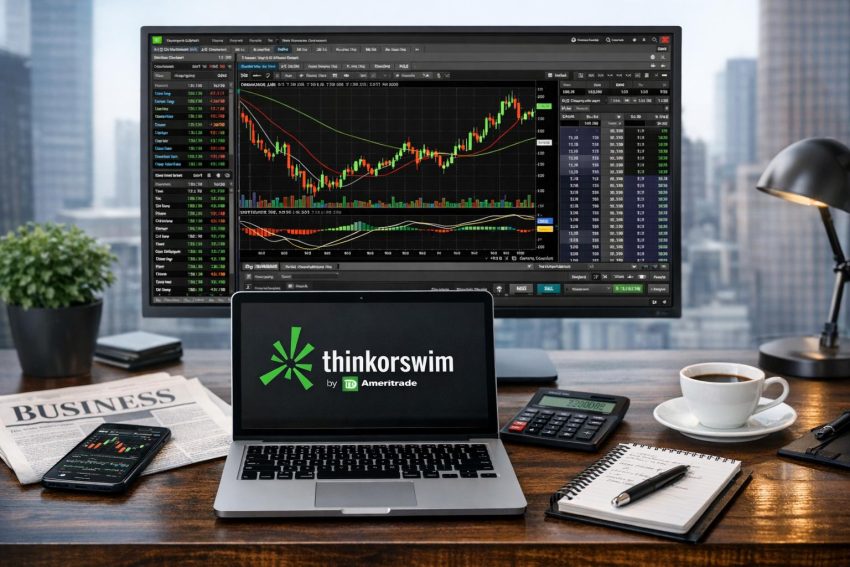
Thinkorswim is a trading platform operated by Charles Schwab. It combines market data, charting, technical studies, screening, options analysis, account monitoring, and order entry within one platform. Investors can access it through desktop software, a web browser, or the Thinkorswim mobile application.
The platform is best known among active stock, options, and futures traders, but it can also serve long-term investors who want more analytical control than a basic brokerage interface provides. Its desktop version offers the largest collection of tools. The web and mobile versions focus more on accessibility, position monitoring, charts, and trade management.
Thinkorswim was developed by Thinkorswim Group before becoming part of TD Ameritrade. Charles Schwab later acquired TD Ameritrade and retained the platform. Eligible Schwab clients now sign in with their Schwab credentials, although product access, market-data status, and trading permissions depend on the account.
Thinkorswim does not provide personal investment advice simply by displaying research or probability calculations. Traders remain responsible for order accuracy, position size, tax considerations, and risk. This distinction matters because the platform makes complex trades relatively easy to enter. Easy order entry does not make the trade itself safe.
What Thinkorswim Is Used For
Thinkorswim supports market research, portfolio monitoring, technical analysis, trade planning, and order execution. Traders commonly use it to follow stocks, exchange-traded funds, indexes, options, and futures. Access to each product depends on Schwab’s current policies, account approval, and applicable exchange or regulatory rules.
A long-term investor might use Thinkorswim to maintain watchlists, review price history, compare trading volume, and monitor an existing portfolio. An active trader may use the same platform to scan for securities, study intraday price behavior, construct an options spread, and manage working orders.
The main desktop areas include:
- Monitor, which displays positions, orders, account balances, and trading activity.
- Trade, which provides quotes, option chains, futures data, and order tickets.
- Analyze, which models possible trade results under changing market assumptions.
- Scan, which searches for securities that meet chosen price, volume, fundamental, or technical conditions.
- MarketWatch, which contains watchlists, calendars, alerts, and market-related tools.
- Charts, which displays price history, technical studies, and drawing tools.
- Tools, which may include educational content and other platform functions.
Tabs, labels, and available features can change after software updates. Schwab may also adjust access based on account status or product availability.
Thinkorswim Platform Versions Compared
The desktop, web, and mobile versions share account data, but they do not present every feature in the same manner. Choosing a version usually depends on the task being performed rather than on finding one version that is best for every situation.
| Version | Best suited to | Main strengths | Practical constraints |
|---|---|---|---|
| Thinkorswim Desktop | Detailed analysis and active trading | Multiple charts, ThinkScript, advanced options tools, scans, flexible order controls | Steeper learning curve and greater computer resource use |
| Thinkorswim Web | Browser access and routine trade management | Cleaner interface, no desktop installation, access from compatible computers | Fewer analytical and customization features than desktop |
| Thinkorswim Mobile | Position monitoring and trading away from a computer | Quotes, alerts, charts, watchlists, and mobile order entry | Small-screen layout makes dense analysis and order review harder |
A trader can use more than one version. A common setup is to conduct research on the desktop platform, receive alerts on a phone, and use the web version when working from another computer. Positions and account balances should remain associated with the Schwab account, though display settings may not transfer perfectly between devices.
The Thinkorswim Desktop Platform
Thinkorswim Desktop is the platform’s most complete version. It is designed for users who want several charts, detailed option chains, flexible workspace layouts, scans, and analytical models. The amount of data on screen can be useful, but it can also make the interface feel crowded during the first few sessions.
The desktop software is installed on a compatible computer. Performance depends partly on the computer’s processor, memory, graphics capabilities, network connection, and the number of active charts or studies. A layout containing many real-time charts and complex scripts may use more resources than a basic watchlist and order ticket.
Monitor Tab
The Monitor tab provides a central view of account positions and order activity. Users can review working orders, filled orders, canceled orders, cash balances, buying power, and profit-and-loss figures. The exact fields depend on the account and security type.
Position rows can be grouped by security or account. Options may appear beneath the related stock symbol, which helps traders assess multi-leg positions. Columns can show values such as mark price, trade price, quantity, daily profit and loss, open profit and loss, delta, and margin requirements.
Displayed profit-and-loss values deserve careful interpretation. An open-position figure may use a mark based on bid and ask prices rather than an actual executable price. Wide spreads can make the reported result look better or worse than the price a trader could receive in the market.
Trade Tab
The Trade tab is used to research a symbol and build an order. Entering a stock ticker normally displays quote details, company data, and an option chain if listed options are available. Futures and other approved products have their own quote and order formats.
Option chains can be expanded by expiration date and adjusted to show a selected number of strike prices. Traders may change the displayed columns to include bid, ask, last price, volume, open interest, implied volatility, delta, gamma, theta, or vega.
Clicking an option quote can populate an order ticket. Additional legs may be added for spreads and other combinations. Before submission, the ticket displays the action, quantity, contract, order type, duration, and proposed price. A confirmation stage may also show estimated buying-power effects and transaction charges.
Analyze Tab
The Analyze tab is mainly used for scenario testing. A trader can model a proposed position before sending an order or review the theoretical behavior of a position already held.
The risk profile graph estimates profit and loss across a range of underlying prices. Users may change the analysis date, volatility assumption, and other variables. The graph can also display theoretical break-even points and option Greeks.
These calculations depend on pricing models and user inputs. Actual results can differ because of changing implied volatility, dividends, interest rates, assignment, market gaps, liquidity, and execution quality. A smooth risk graph can look reassuring; the market is not required to follow its curves.
Scan Tab
The Scan tab searches for securities that match selected conditions. Stock scans may filter by price, trading volume, market capitalization, earnings measures, price changes, or technical indicators. Option scans may use contract volume, open interest, implied volatility, probability estimates, or Greek values.
Scan conditions can be combined. A trader might search for stocks within a chosen price range that also trade above a moving average and meet a minimum volume threshold. Results can then be saved as a personal watchlist or reviewed one at a time.
A scan does not perform a full investment review. It identifies securities that match the entered rules at the time the scan runs. Data changes, reporting delays, and poorly chosen filters can affect the results.
Thinkorswim Web
Thinkorswim Web runs in a compatible browser and does not require the full desktop installation. It provides access to positions, watchlists, charts, option chains, and order entry through a simpler interface.
The web platform can suit traders who move between computers or cannot install desktop software on a work or shared machine. It also removes the need to maintain a large desktop workspace for routine tasks such as checking a position or replacing a working limit order.
Its cleaner layout comes with fewer customization choices. Some desktop studies, scripts, scanning controls, and multi-panel arrangements may not appear in the same form. Traders who rely on ThinkScript or detailed risk graphs will usually prefer desktop for research.
Browser access still depends on a stable connection and compatible software. Browser extensions, privacy settings, corporate network rules, or an expired session can affect access. Traders should verify the status of any submitted order rather than assuming that an on-screen click reached the broker.
Thinkorswim Mobile
Thinkorswim Mobile provides account access through supported phones and tablets. It includes watchlists, quotes, charts, alerts, news, positions, and order entry. Options chains and futures data may also be available for approved accounts.
The application works well for monitoring open positions or responding to an alert away from a desk. Charts can display indicators and drawings, although a phone screen cannot show the same amount of data as several desktop monitors.
Order review requires extra care on mobile. Contract expirations, strike prices, quantities, and buy-or-sell instructions may appear in a compact format. Rotating the device, switching screens, or losing connectivity can also interrupt the process.
After sending an order, users should check its status. Submitted, working, partially filled, filled, rejected, and canceled describe different outcomes. Pressing the submission button is not proof of execution.
Charts and Technical Analysis
Charting is one of Thinkorswim’s main attractions. The desktop platform supports several chart types, including candlesticks, bars, lines, areas, and other price displays. Time intervals may range from tick-based or short intraday charts to daily, weekly, and monthly periods.
Users can set the chart period separately from the bar interval. A chart might display five trading days using five-minute candles, or several years using weekly candles. The appropriate setting depends on the trader’s holding period and research method.
Common studies include:
- Simple and exponential moving averages
- Relative Strength Index
- Moving Average Convergence Divergence
- Bollinger Bands
- Average True Range
- Volume-weighted average price
- On-balance volume
- Stochastic oscillators
Study parameters can usually be changed. A moving average can use a different period, price source, color, or line style. Studies may appear over the price chart or in a lower panel.
More indicators do not necessarily produce better analysis. Several studies often measure similar behavior and may repeat the same signal in slightly different forms. A chart containing eight momentum indicators may look thorough while saying little beyond “price recently rose.”
Drawing Tools and Saved Styles
Drawing tools can mark trendlines, horizontal price levels, channels, retracement levels, text notes, and time markers. Traders often use them to record proposed entry zones, prior highs, prior lows, or areas where trading volume changed.
Thinkorswim allows chart arrangements and styles to be saved. A saved style can preserve colors, studies, chart type, and other display settings. This reduces setup time when switching between symbols.
Drawings and indicators remain interpretive tools. Two traders can examine the same chart and reach different views because they choose different time periods, reference points, or study settings.
ThinkScript
ThinkScript is the platform’s scripting language. It can create custom studies, scans, watchlist columns, chart labels, and alerts. Users do not need conventional software-development experience for basic scripts, though familiarity with variables, conditions, and calculations helps.
A basic script might compare the current closing price with a moving average. A more advanced script could combine volume, volatility, and price conditions or display a custom label on a chart.
Scripts should be tested across several securities and market periods. Coding errors, missing data, future-looking references, or false assumptions can produce misleading signals. A script that plots correctly is not automatically a valid trading method.
ThinkScript is mainly an analysis and display language. Users should not assume that every study can place an automatic live trade. Automated order functions and conditional orders operate under separate platform rules.
Options Trading Tools
Thinkorswim has a strong reputation for options analysis. Its option chain displays expiration dates, strike prices, bid and ask quotes, contract volume, open interest, implied volatility, and Greek values. Traders can adjust which columns appear and how many strikes are shown.
The bid is generally the highest displayed price a buyer is offering, while the ask is generally the lowest displayed price a seller is offering. The gap between them is the bid-ask spread. Wider spreads can raise trading costs and make theoretical valuations less representative of an executable price.
Options Greeks
Thinkorswim can display the main options Greeks:
- Delta estimates how much an option price may change after a one-unit change in the underlying security, assuming other inputs remain constant.
- Gamma estimates the rate at which delta may change.
- Theta estimates the effect of passing time on an option’s theoretical value.
- Vega estimates sensitivity to a change in implied volatility.
- Rho estimates sensitivity to interest-rate changes.
Greeks are model-based estimates rather than fixed promises. They change with the stock price, time to expiration, volatility, and other inputs. They can help describe risk, but they do not remove it.
Multi-Leg Strategies
Traders can build single-leg and multi-leg option orders from the chain. Common combinations include vertical spreads, calendar spreads, diagonal spreads, straddles, strangles, butterflies, iron condors, covered calls, and protective puts.
The order ticket normally displays each leg along with the combined debit or credit. Users should check that every leg has the intended action, strike, expiration, and quantity. Reversing one leg can change both the strategy and its risk profile.
A quoted credit is not guaranteed. Multi-leg orders depend on available buyers and sellers for the complete combination or its individual contracts. A position can remain unfilled even if the displayed midpoint appears close to the entered price.
Assignment, Exercise, and Expiration
Options traders need to account for exercise and assignment. A short option can be assigned before expiration, subject to contract terms and exercise procedures. Early assignment may be more likely near an ex-dividend date or when an option has little remaining time value, but it can occur whenever the holder exercises.
Expiration can also create stock positions or account obligations. A spread that appears defined-risk before expiration may produce different exposure if one leg is exercised and another is not. Traders should review Schwab’s expiration procedures, exercise deadlines, and account requirements before holding contracts near expiration.
Options approval is based on account details, financial data, stated experience, and requested trading authority. Approval for one strategy does not automatically permit every options strategy.
Futures Trading on Thinkorswim
Eligible clients may use Thinkorswim for approved futures products. Futures contracts represent agreements based on commodities, equity indexes, interest rates, currencies, or other reference assets. Contract availability and trading hours vary by exchange.
Futures often trade outside regular stock-market hours, but they do not trade without interruption. Exchanges may have maintenance periods, holiday schedules, price limits, or other pauses.
These contracts use margin differently from ordinary stock purchases. A relatively small margin deposit can control a contract with a much larger notional value. This can magnify gains and losses. Adverse moves may create a need for additional funds or forced position closure.
Contract size, tick value, expiration month, settlement method, and last trading day should be checked before entry. Confusing a standard contract with a smaller contract, or selecting the wrong expiration, can materially change the exposure.
paperMoney and Simulated Trading
paperMoney is Thinkorswim’s simulated trading environment. It uses virtual funds so users can practice platform operations without placing live trades. It can be used to create watchlists, apply studies, build option spreads, enter orders, and review simulated positions.
Paper trading is useful for learning where controls are located. It can also expose operational errors, such as choosing the wrong quantity, using an unintended order duration, or confusing a stop order with a stop-limit order.
Simulation has clear boundaries. Simulated fills may not reproduce actual queue position, market impact, borrowing availability, partial fills, or fast price changes. Bid-ask spreads may behave differently during live execution. Fees and financing costs may also be represented differently.
Real-money decisions introduce pressures that a paper account cannot reproduce. Traders may close gains too early, hold losses too long, or change position size after a losing trade. A profitable paper record therefore does not prove that the same method will succeed in a funded account.
A sensible paperMoney routine is to practice the full trade process: define the setup, enter the order, record the fill, manage the position, and review the result. Random simulated orders teach platform mechanics, but they reveal little about whether a trading plan is consistent.
Watchlists, Market Data, and Alerts
Watchlists group symbols for ongoing review. They may contain stocks, ETFs, indexes, options, or futures supported by the platform. Users can create personal lists or use system-generated lists where available.
Columns may display last price, net change, percentage change, bid, ask, volume, implied volatility, or custom ThinkScript values. A watchlist can also feed symbols into linked charts. Selecting a ticker in the watchlist then changes the chart to the same ticker.
Quotes may be real-time or delayed depending on exchange agreements, account status, subscriptions, and user permissions. The quote timestamp should be checked before placing an order. This is especially relevant outside normal trading hours, when the last trade may be old and current bids or offers may be sparse.
Alerts can be based on price levels, study conditions, or account events, depending on platform support. Notifications may appear within the software or through selected delivery methods.
An alert is not an order. It reports that a condition has occurred; it does not guarantee that the user receives the message immediately or acts at the displayed price. Network delays, device settings, and rapid price movement can affect the practical value of an alert.
Order Types and Execution
Thinkorswim supports several order types, although availability varies by product, session, and exchange. The order ticket should indicate which instructions are permitted for the chosen security.
Market Orders
A market order requests execution at the best available prices. It gives priority to execution rather than price control. The fill may differ from the last trade, especially in a fast market or a security with low trading volume.
Large market orders can fill at several prices because the best displayed quote may represent only a small quantity. Options with wide spreads can be particularly sensitive to this issue.
Limit Orders
A buy limit order sets the maximum price the trader will pay. A sell limit order sets the minimum price the trader will accept. This gives the trader price control, but execution is not guaranteed.
The market can touch a limit price without filling the order. Other orders may have priority, or too few contracts or shares may be available at that price.
Stop and Stop-Limit Orders
A stop order activates after the stop price is reached and generally becomes a market order. The final execution can occur away from the stop price if the market moves rapidly or opens with a gap.
A stop-limit order activates at the stop price and then becomes a limit order. It provides price control after activation, but it may remain unfilled while the market continues moving against the position.
Order Duration and Trading Sessions
Orders may use durations such as day or good-till-canceled, subject to product rules. Some securities can also trade during extended-hours sessions. Liquidity during these sessions is often lower, spreads may be wider, and certain order types may not be accepted.
Before submission, traders should review the symbol, action, quantity, order type, price, duration, and trading session. Options orders also require a check of the expiration date, strike, call-or-put designation, and number of contracts.
Conditional and Bracket Orders
Thinkorswim may support conditional orders and order groups such as one-cancels-other arrangements. A trader might pair a profit-taking order with a protective exit so that filling one cancels the other.
Conditional orders depend on trigger rules and system processing. They do not guarantee execution at the trigger value. Users should learn how the platform treats partial fills, canceled legs, and overnight gaps before relying on an order group.
Account Types, Margin, and Trading Approval
Thinkorswim access is connected to an eligible Schwab account. Account registrations may include individual, joint, retirement, custodial, trust, or business structures. Each structure has its own rules for ownership, taxation, withdrawals, and permitted trading activity.
A cash account generally requires trades to be paid for with settled funds under applicable rules. A margin account may permit borrowing against eligible securities and may support strategies not available in a cash account.
Margin increases purchasing capacity but also increases risk. Interest is charged on borrowed balances, and maintenance requirements can change. If account equity falls below required levels, Schwab may require more funds or sell positions under the account agreement.
Retirement accounts can have additional restrictions. Borrowing, uncovered option positions, and certain spread structures may not be available. Product approval and strategy approval should be confirmed within the account rather than inferred from what appears on a platform screen.
Thinkorswim Fees and Trading Costs
Access to Thinkorswim is generally associated with a Schwab brokerage relationship, but trading is not automatically cost-free. Charges vary by product, account, and transaction method.
Possible costs include option contract fees, futures commissions, exchange charges, regulatory assessments, broker-assisted trade charges, data fees, margin interest, and short-borrow expenses. Pricing can change, so users should review Schwab’s current fee schedule before trading.
Stocks and qualifying ETFs may have no online commission under the applicable pricing schedule. Even then, the bid-ask spread creates an indirect cost. Taxes, regulatory assessments, and price movement between order entry and execution may also affect the result.
Options traders should consider contract charges across every leg. A four-leg strategy can incur charges on four contracts for each complete unit, with another set of charges when the trade is closed. Frequent adjustments can raise costs even when each individual charge appears small.
How to Set Up Thinkorswim for Practical Use
New users often benefit from starting with a plain workspace. One watchlist, one chart, and the account-position panel are enough for learning basic operation. Extra studies and gadgets can be added after the user knows what each display contributes.
A workable setup process includes creating a watchlist, linking it to a chart, selecting a chart period, adding one or two studies, and placing a paperMoney order. The next stage can include alerts, scans, options chains, and saved layouts.
Color-coded linking is useful on desktop. Panels assigned the same color can share a symbol, allowing a watchlist selection to update a chart, option chain, or quote panel. This saves time and reduces repeated symbol entry.
Users should also distinguish among four basic brokerage terms:
- Quote: displayed market data at a stated time.
- Order: an instruction sent to the broker.
- Execution: confirmation that part or all of the order traded.
- Position: the resulting holding or obligation in the account.
Confusing an order with an execution is a common error. A working buy order does not mean the security is already owned, and a submitted cancellation does not mean the original order was successfully canceled.
Security and Account Protection
Account holders should use a separate password that is not reused on other services. Multifactor authentication should be enabled where available. Login credentials, verification codes, and account recovery details should not be shared.
Trade confirmations, statements, login notices, and security alerts should be reviewed regularly. Any unfamiliar activity should be reported through Schwab’s official support channels.
Public and shared computers carry added risk. Users should avoid saving credentials, sign out after use, and close the browser. Phones and tablets should have a passcode or biometric lock, and operating systems should receive current security updates.
Messages requesting urgent login action should be treated with caution. Rather than opening an unexpected message link, users can access the brokerage through the known application or manually entered website address.
Platform Reliability and Backup Planning
No electronic trading platform operates without occasional maintenance, network disruption, or data issues. Thinkorswim performance can also be affected by heavy market activity, computer resource use, and local internet problems.
Traders with open positions should know alternative account-access methods. These may include Thinkorswim Web, the mobile application, Schwab’s standard brokerage interface, or telephone support, subject to service availability.
Broker contact details and account identifiers should be stored securely outside the trading computer. Users should also know which positions have near-term expiration, margin exposure, or open orders that may require attention.
A backup method does not guarantee immediate execution during a broad service event. It does, however, reduce dependence on one device or application.
Advantages and Practical Constraints
Thinkorswim’s main strengths are its charting controls, options tools, paperMoney environment, custom scripts, scanning functions, and access across desktop, web, and mobile devices. It can support research and trade management without requiring separate charting and brokerage applications.
The desktop platform also allows experienced users to arrange data around their trading process. Watchlists, charts, order tickets, and position data can be placed together and linked by symbol.
The main constraint is the learning curve. Menus contain many settings, and small order-entry choices can have large financial effects. Users who add too many panels or indicators may create a workspace that is harder to read rather than more useful.
Some features require product approval, exchange agreements, market-data enrollment, or a compatible account. Platform availability also does not mean a strategy is appropriate for the account holder.
Who Thinkorswim Is Best Suited To
Thinkorswim is well suited to active stock traders, options traders, futures traders with approval, and investors who use technical analysis. It also serves users who want to test ideas through paperMoney before placing funded trades.
Occasional investors can use it, but they may not need most desktop functions. Someone who buys a broad-market ETF a few times per year may find Schwab’s standard brokerage interface simpler.
The platform does not determine whether a trading style is conservative or speculative. Risk comes from the security, position size, holding period, use of borrowed funds, and exit plan. A detailed chart cannot compensate for an oversized position.
Questions Commonly Asked About Thinkorswim
Is Thinkorswim free?
Platform access may be available to eligible Schwab clients without a separate platform subscription charge. Trading fees, option contract charges, futures commissions, data costs, and other expenses may still apply. Schwab’s current pricing documents should be checked for the account and product being used.
Can beginners use Thinkorswim?
Beginners can use it, though the desktop interface takes time to learn. Starting with watchlists, charts, paperMoney, and basic limit orders is more practical than configuring every tool at once.
Does Thinkorswim support real-time data?
Real-time data may be available based on account status, exchange agreements, and enrollment. Some quotes may be delayed. The displayed timestamp and data permissions should be reviewed before order entry.
Can Thinkorswim place options spreads?
Yes, approved accounts can use the platform to build many multi-leg options orders. Account permission, buying power, contract availability, and strategy rules still apply.
Is paperMoney the same as live trading?
No. paperMoney is a simulation. It helps users learn platform operation and test trade rules, but its fills and results may differ from live execution.
Can Thinkorswim be used without the desktop application?
Eligible users can access Thinkorswim Web or the mobile application. These versions provide many account and trading functions, though they do not reproduce every desktop feature.
Is Thinkorswim suitable for long-term investing?
Yes. Long-term investors can use its charts, watchlists, alerts, and portfolio displays. Whether the extra analytical tools are worth learning depends on how often the investor researches or trades securities.
Assessing Whether Thinkorswim Fits Your Trading Process
Thinkorswim is most useful when its tools match a defined research and trading routine. A trader who uses charts, scans, options models, and conditional orders may gain practical value from the desktop platform. A less active investor may prefer the web or mobile version for simpler account monitoring.
Before trading with real funds, users should verify market-data status, account permissions, order settings, fees, and product rules. Unfamiliar actions can be rehearsed in paperMoney, followed by careful order review in the live account.
The amount of data on screen is not a measure of trade quality. Sound position sizing, accurate order entry, cost awareness, and a workable exit plan remain more useful than adding another indicator to an already crowded chart.