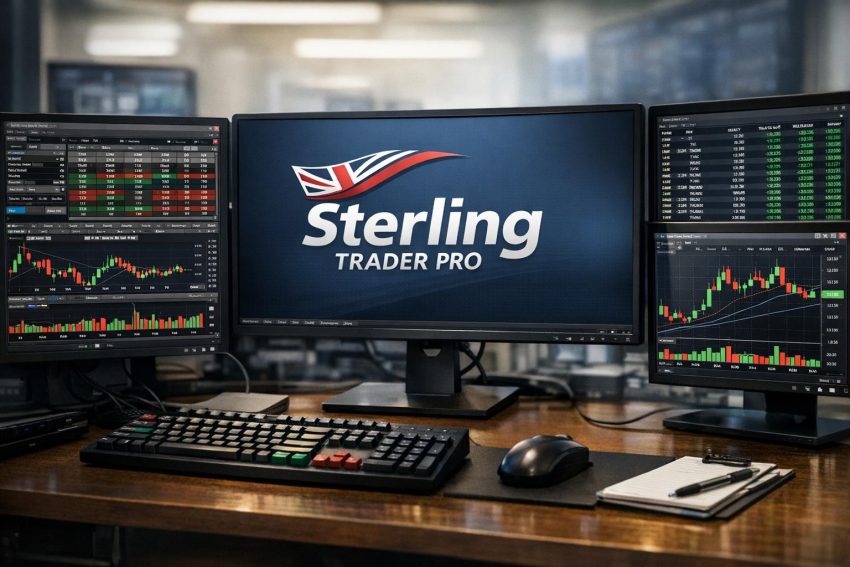
Sterling Trader Pro is a desktop trading platform built for active traders, proprietary trading firms, broker-dealers, and institutional market participants. Its main purpose is order execution. The software provides configurable order-entry windows, Level 2 quotes, time and sales data, hotkeys, position monitoring, and access to market routes made available by the trader’s broker.
The platform is commonly associated with active equities trading, though supported securities and order types depend on the provider offering access. Sterling Trader Pro is not usually opened as a stand-alone brokerage account. A broker or trading firm supplies the account, market data, routing permissions, buying power, and risk controls.
This distinction matters. Two traders may both use Sterling Trader Pro yet receive different routes, data feeds, short-sale inventory, fee schedules, and account restrictions. The local software can look nearly identical while the trading arrangements behind it differ considerably.
Sterling Trader Pro is best viewed as a professional execution workstation rather than a general investment application. It does not primarily target investors who want recurring purchases, retirement planning, portfolio projections, or a polished mobile experience. Its strengths are most relevant to traders who need to monitor several securities, submit orders rapidly, and maintain close control over open positions.
What Is Sterling Trader Pro?
Sterling Trader Pro is a Windows-based trading terminal that connects an approved account to market data and order-routing services. Traders use it to view quotations, inspect displayed market depth, submit orders, monitor fills, cancel working instructions, and track account exposure.
The software sits between the trader and the brokerage infrastructure. An order entered on the platform passes through the provider’s risk checks before being sent to an exchange, electronic communication network, market maker, or another permitted destination. A risk rule can reject the order before it reaches the market. Common reasons include insufficient buying power, an invalid route, a restricted symbol, an oversized quantity, or unavailable short inventory.
Sterling Trader Pro therefore does not control every part of the transaction. The broker’s servers, clearing arrangement, market data contracts, and routing relationships all affect what the trader can see and do. This is one reason platform reviews should separate the software from the broker providing it.
The platform has long been associated with day trading because its interface favors speed and information density. Traders can keep watch lists, charts, order tickets, Level 2 panels, time and sales feeds, positions, and order-status windows open at the same time. Several windows can be linked by symbol, allowing one symbol selection to update related panels.
How Broker Access Affects the Platform
A Sterling Trader Pro subscription is normally arranged through a broker, proprietary trading company, or professional trading group. The provider determines account eligibility and may configure the platform before issuing login credentials.
The provider may control:
- Supported stocks, options, or other securities
- Available exchanges and electronic communication networks
- Real-time market data packages
- Maximum order and position sizes
- Buying-power calculations
- Short-sale inventory and locate procedures
- Commission, routing, data, and platform fees
- Pre-trade and daily loss controls
- Technical assistance and outage procedures
A trader should not assume that a feature shown in a Sterling manual will appear in every installation. The software may support a function that the provider has disabled or not contracted to offer. Options access, advanced order instructions, automated risk controls, and locate tools are common areas where account configurations differ.
Regulatory status also belongs to the provider rather than the platform interface. Before funding an account, a prospective user should verify the legal name of the brokerage entity, its registrations, the location of customer assets, withdrawal rules, and the clearing firm involved. A familiar trading terminal does not remove the need to check the business holding the funds.
Who Typically Uses Sterling Trader Pro?
Sterling Trader Pro serves traders whose methods require frequent order entry, close position supervision, or control over routing. A trader placing one or two investments each month would gain little from most of its features. A trader submitting dozens of intraday orders may find those same features useful.
Active Day Traders
Day traders often monitor rapid price changes and need a direct method for entering, modifying, and canceling orders. They may use Level 2 data, time and sales, charts, and news feeds to assess short-term activity. Hotkeys can reduce the number of mouse movements required during this process.
That speed has a practical cost. An incorrectly programmed command can send the wrong quantity or close a position unintentionally. Experienced traders usually treat hotkey configuration as part of their risk program, not as a casual preference setting.
Proprietary Trading Firms
Proprietary firms may use Sterling Trader Pro across many trader workstations. The firm can apply account rules, position caps, restricted-symbol lists, and daily loss thresholds through connected risk systems. Supervisors may also review orders and exposure from separate administrative software.
The same platform across a trading desk can simplify training and technical assistance. It also allows the firm to standardize order-entry procedures. Individual traders may still arrange their windows differently, but the underlying commands and account policies remain consistent.
Short Sellers
Short sellers may use Sterling because some participating brokers provide locate tools, hard-to-borrow inventory, and routes suited to active equity trading. Access varies widely. A symbol available to borrow through one firm may be unavailable or expensive through another.
Borrowing costs can have a material effect on a short trade. Traders need to consider locate charges, overnight borrow rates, recall risk, and forced buy-ins. Platform access alone says little about the quality or price of the stock-loan service.
Professional and Institutional Users
Some broker-dealers and institutional desks use Sterling products for agency orders, position management, or direct market access. Their setup may differ from that of an individual day trader. Account structures, compliance controls, and data arrangements can be configured for the firm’s operating requirements.
Interface and Workspace Design
Sterling Trader Pro uses separate windows rather than a simplified single-screen layout. The trader can open the tools needed for a strategy and place them across one or more monitors. Common windows include watch lists, Level 2 books, time and sales, charts, order-entry panels, positions, account summaries, and order logs.
This design gives the user considerable control, but the initial setup can take time. A crowded screen is not automatically a productive screen. Too many panels may hide order information or make it harder to notice a working order. A practical workspace normally contains only the data required for the trading method.
Symbol Linking
Linked windows update together when the trader selects a symbol. A watch-list click can change the Level 2 book, chart, time and sales feed, and order ticket at once. Color coding is often used to create separate link groups.
This saves time, though it creates another operational risk. If a window is assigned to the wrong group, the chart may show one stock while the order ticket retains another. Traders should confirm the symbol in the order-entry panel before transmitting an order, particularly after changing layouts.
Watch Lists
Watch lists can display symbols with fields such as last price, bid, ask, volume, price change, and percentage change. The available columns depend on the data feed and platform configuration.
A watch list can be used for a morning scan, sector monitoring, current positions, or stocks tied to scheduled company events. Keeping separate lists for active trades and possible trades can reduce screen clutter. It also lowers the chance of confusing a stock being monitored with one already held.
Positions and Order Windows
The position window generally displays share quantity, average entry price, current price, market value, and unrealized profit or loss. The order window records working, filled, canceled, partially filled, and rejected orders.
These windows require frequent attention. A trader who watches only the chart may miss a partial fill or assume an order was canceled when part of it executed. This can leave an unintended position open. Position data and order status should be checked after each submission, cancellation, or rapid sequence of trades.
Level 2 Market Data
Level 2 data shows displayed buying and selling interest at several price levels. The panel may identify exchanges, electronic communication networks, or market participants associated with each quote. Traders use the display to review quoted spreads, displayed size, and changes in the order book.
A typical Level 2 window places bids on one side and offers on the other. Prices closer to the current market appear near the top. Selecting a quote may populate an order ticket or prepare an order at the chosen price, depending on the user’s settings.
Level 2 should not be treated as a complete record of supply and demand. Hidden orders, reserve quantities, midpoint orders, and liquidity on other venues may not appear. Displayed quotes can also change before an order reaches them. A large displayed quantity may be canceled, reduced, or executed within milliseconds.
Market depth can still provide useful context. A trader may compare the current spread with recent conditions, observe whether displayed liquidity is concentrated at one price, or check whether a thin order book could lead to slippage. These observations should be combined with executed trade data rather than read in isolation.
Consolidated and Venue-Based Quotes
Not all quote feeds are the same. Consolidated data combines information from several markets, while venue-based feeds show orders from an individual exchange or network. A user’s subscription determines which data appears.
Traders should verify whether their quotes are real time or delayed. They should also confirm whether exchange fees apply to professional or non-professional status. Market data classification can affect monthly costs, and professional users often pay higher rates.
Time and Sales
Time and sales records completed transactions. Entries normally include the execution price, share quantity, and timestamp. Some configurations use colors to indicate whether a trade occurred near the bid, ask, or between quoted prices.
Where Level 2 shows displayed intentions, time and sales shows executions that have already occurred. Traders may watch both panels to compare quoted liquidity with actual trading activity. A large bid is less informative if trades continue printing below it, for example.
Color classifications are not perfect. A feed usually infers trade direction from the relationship between the execution price and prevailing quotes. It does not necessarily identify the intention of the buyer or seller. Traders should avoid treating every colored print as a definitive signal.
Filtering can make the feed easier to read. A trader may hide very small transactions, adjust font size, or display only trades above a chosen quantity. Aggressive filtering can also remove useful activity, so the setting should match the stock’s normal volume and price behavior.
Order Entry and Supported Instructions
Sterling Trader Pro provides manual order tickets as well as hotkey-based entry. The standard fields generally include symbol, side, quantity, order type, price, duration, route, and account. Some configurations include display quantity, stop price, discretionary settings, or strategy identifiers.
The order types available depend on the provider and destination. Common instructions include market, limit, stop, and stop-limit orders. Certain routes may accept other instructions, though availability should be verified before use.
| Order instruction | Primary use | Main trading risk |
|---|---|---|
| Market order | Requests prompt execution at available prices | Final price may differ sharply from the quote |
| Limit order | Sets a maximum purchase price or minimum sale price | The order may not fill |
| Stop order | Activates after a trigger price is reached | Execution may occur far from the trigger |
| Stop-limit order | Combines a trigger with a price boundary | The position may remain open if price moves past the limit |
Market Orders
A market order prioritizes execution rather than price. In a heavily traded stock with a narrow spread, the execution may occur near the displayed quote. In a thin or rapidly moving stock, the order can fill across several price levels.
Order size matters. Buying 100 shares may produce a different average price from buying 10,000 shares when little liquidity is available. The quotation at the top of the book does not promise that the full quantity can trade there.
Limit Orders
A limit order sets the worst acceptable price. A buy limit will not execute above its stated price, while a sell limit will not execute below it. Price control comes with execution uncertainty.
Reaching the limit price does not guarantee a fill. Other orders may have priority, displayed size may disappear, or only part of the order may execute. Traders need a plan for partial fills, particularly when an entry order is paired with a separate exit instruction.
Stop and Stop-Limit Orders
A stop order usually becomes a market order after the trigger condition is met. During a rapid move, the fill may be far from the stop level. A stop-limit order controls the acceptable price after activation, but it may remain unfilled while losses continue.
The broker’s trigger method matters. A stop may be activated by a last sale, quotation, or another condition. Traders should review the provider’s order rules rather than assuming every broker handles stops identically.
Time-in-Force Settings
Orders may use day, good-til-canceled, immediate-or-cancel, or other duration settings where supported. A day order normally expires after the relevant trading session. An immediate-or-cancel instruction attempts to fill all or part of the quantity promptly and cancels the remainder.
Extended-hours sessions can have separate rules. An order accepted during regular trading may not remain active before the open or after the close. Routes may also reject market orders outside regular hours. The trader should know which session the selected duration covers.
Direct Market Access and Routing
Direct market access gives qualified users greater control over where an order is sent. Sterling Trader Pro may display several exchange and electronic communication network routes, depending on the broker’s agreements.
A route can affect execution speed, displayed liquidity, fees, rebates, and accepted order instructions. Some venues charge for taking liquidity and pay rebates for adding it. Others use different pricing schedules. Broker markups may also apply.
The cheapest displayed route is not always the lowest-cost choice after fill quality is considered. An order that earns a small rebate but does not execute can leave the trader exposed to a price move. Conversely, repeatedly using a marketable route without reviewing fees can raise transaction costs.
Smart routing may be offered as an alternative to manual venue selection. A smart router assesses available markets under its programmed rules and sends the order accordingly. Its behavior depends on the broker’s technology and routing policy. Users should ask how orders are handled, whether venues receive preference, and how execution reports are produced.
Hotkeys and Rapid Order Execution
Hotkeys are among the better-known Sterling Trader Pro features. They assign a keyboard command to an order or platform action. A command might buy a fixed quantity at the ask, sell part of a long position, cancel working orders, or close the current position.
Hotkeys can reduce repetitive input and help a trader apply the same order structure each time. They can also create large errors very quickly. A misplaced decimal, reversed side, or incorrect share calculation may produce an order far larger than intended.
Common Hotkey Functions
Users often configure commands for entry, partial exits, full exits, order cancellation, and price adjustment. A trader may have separate commands for liquid large-cap stocks and lower-volume stocks because the same quantity does not suit both.
Position-based commands require close testing. A button intended to sell a long position could open a short position if it sends more shares than the account currently holds. A command based on buying power may calculate a much larger quantity after an account change.
Testing Hotkeys
Every command should be reviewed line by line and tested under controlled conditions. A simulator is preferable where the provider offers one. If simulated trading is unavailable, the broker may have an approved test procedure or restricted environment.
Testing should cover more than a successful entry. The trader should check partial positions, working orders, short positions, rejected orders, and symbols with unusual price increments. It is also sensible to retest commands after a software update or workspace change.
A hotkey is an order instruction, not a shortcut to judgment. The trader remains responsible for checking the active symbol, account, route, and quantity.
Short Selling and Stock Locates
Sterling Trader Pro can support short-sale workflows when the broker provides access. In a short sale, the trader sells borrowed shares and later buys shares to return them. Profit may result if the repurchase price is lower, while a rising price creates a loss.
A long position cannot fall below zero, but a short position has no fixed maximum loss. A stock can rise several times above the entry price, and abrupt price increases can occur outside regular trading hours.
Easy-to-Borrow and Hard-to-Borrow Stocks
Brokers often classify securities according to borrow availability. Easy-to-borrow stocks may not require a separate locate request before each short order. Hard-to-borrow stocks generally require confirmation that shares may be available.
A locate is not the same as a guaranteed borrow for an indefinite period. Availability can change, and the lender may recall shares. The broker may then require the short position to be closed or moved.
Locate and Borrow Costs
Locate charges can be quoted per share or under another pricing model. Holding a short position overnight may lead to borrow charges that change with demand. Corporate actions, dividends, and stock recalls can create other costs.
Traders should ask whether an unused locate can be canceled, whether fees are charged upon request or execution, and how overnight borrow rates are calculated. A profitable price move can still result in a poor net trade if borrow expenses are high.
Risk Management Features
Sterling Trader Pro displays positions and account data that traders can use to monitor exposure. The provider may also apply server-side controls such as buying-power caps, maximum share sizes, symbol restrictions, and daily loss thresholds.
Server-side rules are generally more dependable than relying only on a local visual alert because they can block an order before transmission. Even so, no control covers every situation. Fast price changes, gaps, rejected exits, and connection failures can produce losses beyond a planned amount.
Position and Order Limits
A maximum order quantity can reduce the effect of an extra zero in an order ticket. Position caps prevent the account from holding more than an approved number of shares or a stated dollar amount. Firms may use separate thresholds for long and short positions.
These controls need realistic settings. A cap set too high offers little protection, while one set too low may reject normal orders. Rejected orders should be reviewed immediately because a rejected exit can leave a position exposed.
Daily Loss Controls
Some firms configure an account to block new orders or liquidate positions after a daily loss threshold is reached. The calculation may use realized profit and loss, unrealized profit and loss, or both.
Traders need to know when the threshold resets and whether commissions or fees count toward it. They should also know whether the control blocks only new positions or all activity. A rule that prevents every order could create problems if it also stops the trader from reducing exposure.
Personal Trading Rules
Platform controls work best alongside written account rules. These may define risk per trade, maximum daily loss, maximum open positions, and the conditions for ending a session. The rules should account for slippage rather than assuming every exit occurs at its intended price.
Order speed does not repair weak position sizing. In fact, fast entry can make poor sizing more costly because the order reaches the market before the trader has time to reconsider it.
Charts, News, and Scanning Tools
Sterling Trader Pro may include charting, news, alerts, and other analytical tools. The depth of these functions varies by provider and software version. Many users rely on Sterling for execution while running separate charting or scanning software.
Charts may include intraday and daily intervals, volume, common technical studies, and drawing tools. Their value depends partly on the quality and history of the data feed. Missing premarket data or an adjusted historical series can change how a chart appears.
News feeds also differ in speed and coverage. A headline strategy requires accurate timestamps and a clear indication of whether the report is original, updated, or repeated from an earlier release. Traders should verify major company information through recognized sources before acting where time permits.
Running several external applications can place a heavier load on the workstation. Charts, scanners, browser tabs, streaming news, and multiple quote feeds all consume memory, processor capacity, and network bandwidth. A visually impressive six-monitor setup is not much use if the computer freezes during an exit.
Computer, Monitor, and Internet Requirements
The provider should supply current technical requirements for the supported Sterling Trader Pro version. Traders should compare those requirements with the computer they intend to use. Meeting the minimum specification may allow the software to run, but active multi-window use can require more processing power and memory.
A wired network connection is usually preferable to Wi-Fi for a fixed trading desk. Wireless connections can be stable, but they are more exposed to congestion, weak signals, and brief interruptions. A backup connection, such as a separate broadband line or mobile hotspot, can help during a primary outage.
Multiple monitors are optional. Many traders use two or more because separate screens provide room for charts, quotes, orders, and positions. Monitor count should follow the trading method rather than desk aesthetics. One organized display is safer than several cluttered ones.
Power protection also deserves attention. An uninterruptible power supply can keep the computer and network equipment running during a short power failure. It does not replace a backup trading method, but it may provide enough time to close positions or contact the broker.
Installation and Initial Configuration
Users should obtain the installer directly from the broker or trading firm. Unofficial download sites create security and version risks. The provider may require a certain release because its servers, routes, or plug-ins have been tested with that version.
After installation, the user normally enters credentials and loads either a default workspace or a provider-supplied layout. The next steps include selecting market data fields, arranging windows, setting routes, and configuring order defaults.
Pre-Trading Checks
Before live use, the trader should confirm:
- The correct account appears in every order ticket
- Buying power and existing positions match broker records
- Quotes are real time and update normally
- Order routes accept the intended instructions
- Cancel and replace functions behave as expected
- Hotkeys use the correct side, quantity, price, and duration
- The broker’s emergency telephone number is available offline
A small test order may expose setup errors that do not appear during a visual review. The test should follow the provider’s approved procedure and should include submission, confirmation, cancellation, and position verification.
Fees and Total Trading Cost
Sterling Trader Pro does not have one universal retail price. The broker or trading firm sets the charges. Fees may include monthly platform access, market data subscriptions, commissions, exchange charges, routing fees, regulatory assessments, locate charges, and overnight borrow costs.
Some providers waive a platform fee after the account generates a stated amount of monthly commission. Others charge a flat technology fee regardless of activity. Professional data status can raise monthly quote costs.
The commission shown in an advertisement represents only one part of trading expense. A more complete calculation includes:
Total trading cost = commissions + data and platform charges + routing costs + spread + slippage + borrow expense + regulatory charges − applicable rebates.
Rebates should not be treated as guaranteed income. They depend on route, liquidity status, fill, and the broker’s pricing policy. Some firms pass through all or part of a venue rebate, while others use bundled rates.
Traders should also inspect inactivity charges, software cancellation terms, withdrawal fees, and minimum account requirements. A low per-share commission can be offset by higher fixed expenses when trading volume is modest.
Reliability, Outages, and Order Uncertainty
Active trading depends on several connected systems: the trader’s computer, local network, internet provider, market data feed, broker servers, risk controls, and market venue. A failure at any point can interrupt quotes or order handling.
A frozen screen does not prove that an order failed. The order may have reached the broker or exchange even though the workstation did not display an acknowledgment. Repeatedly pressing the order command can create duplicate positions.
If an order status is uncertain, the safer procedure is to check the order log, verify the position window, reconnect if instructed, and contact the broker. Traders should know the broker’s policy for telephone cancellations and whether phone orders carry a fee.
Backup Procedures
A written outage plan should contain the broker’s trade-desk number, account identifier, a backup internet method, and instructions for verifying open orders. Login details should be stored securely but remain accessible if the primary computer fails.
Some traders maintain a second authorized computer. Others use a broker web portal for emergency position management. Availability varies, so users should test the permitted backup method before an outage occurs.
Security and Account Protection
A trading workstation should be used with basic security controls, including operating system updates, reputable malware protection, a secure router, and a strong account password. Shared computers and public Wi-Fi are poor choices for direct market access.
Users should confirm whether the provider supports multi-factor authentication and how credential resets are handled. Login details should never be shared through unsecured messages. Proprietary firms may issue separate credentials for trading, reporting, and administration.
Workspace files and hotkey settings may also deserve backups. If a computer fails, rebuilding a complex layout from memory can take time and introduce errors. Backups should be stored securely because configuration files may contain account references or operational details.
Sterling Trader Pro Compared With Retail Platforms
Retail brokerage applications generally combine account funding, research, portfolio reports, tax documents, mobile access, and trading in one interface. Sterling Trader Pro concentrates more heavily on the execution workstation.
| Area | Sterling Trader Pro | Typical retail platform |
|---|---|---|
| Primary use | Active order execution | General investing and account management |
| Workspace | Highly configurable multi-window layout | Simplified fixed layout |
| Order entry | Hotkeys, routes, detailed presets | Standard order ticket |
| Market depth | Often central to the interface | May be basic or optional |
| Learning burden | Higher | Usually lower |
| Long-term planning tools | Not the main focus | Often included |
A retail platform may be better for an investor buying index funds and reviewing retirement allocations. Sterling may be better for a trader who needs several order routes, rapid cancellation, and close supervision of intraday positions. Neither format is automatically superior; they serve different operating needs.
Advantages of Sterling Trader Pro
The platform’s main strength is control over the trading workspace. Users can arrange data and order windows around their methods rather than follow a fixed consumer interface. Symbol linking and hotkeys can reduce repetitive actions during active sessions.
Level 2, time and sales, order status, and position data can appear side by side. This makes it easier to compare displayed liquidity with completed trades while monitoring account exposure.
Direct routing options can also benefit traders who know how venue fees, liquidity rules, and order priority work. The ability to select a route may provide more control than a basic broker order ticket.
Sterling’s use across professional trading operations is another practical benefit. Traders moving between participating firms may recognize the general layout and order workflow, although every new provider configuration still requires testing.
Restrictions and Practical Concerns
The platform has a steeper learning curve than a standard brokerage website. Its dense interface can lead to errors if windows, symbols, or account fields are poorly arranged. New users need time to build a clean layout and learn order behavior.
Costs may be high for traders with low activity. Platform access, professional data, and routing charges can create a sizable monthly expense before any trade is placed.
Broker dependence is another concern. The quality of the experience relies heavily on the provider’s routes, data, risk controls, short inventory, and customer service. A review of the software cannot replace a review of the brokerage arrangement.
Sterling Trader Pro is also not primarily a mobile platform or long-term portfolio system. Traders who need retirement planning, automated deposits, broad fundamental research, or simple tax-lot management may prefer another application for those tasks.
Is Sterling Trader Pro Suitable for Your Trading?
Sterling Trader Pro may suit an experienced active trader who has a written strategy, understands order behavior, and needs direct market access or configurable hotkeys. It can also fit traders working through a proprietary firm that uses Sterling as its standard workstation.
It is less appropriate for occasional investors, beginners who have not learned order types, or users who want a simple phone-based account. Access to faster order entry does not create trading skill. It shortens the time between a decision and market exposure, including when the decision is wrong.
Before opening an account, a prospective user should ask the provider about supported securities, monthly fees, market data classification, available routes, short-sale rules, risk controls, clearing arrangements, and outage procedures. A demonstration account can help assess the interface, but simulated fills may not match live-market results.
Practical Assessment
Sterling Trader Pro is a professional execution platform with strong order-entry, market data, routing, and workspace configuration features. Its Level 2 panels, time and sales feeds, hotkeys, and position windows are designed for active trading rather than passive investing.
The software’s value depends on the service behind it. Broker permissions determine what can be traded, where orders can be routed, how much data costs, whether shares are available for shorting, and which account controls apply. Traders should compare providers as carefully as they compare platforms.
Preparation is central to safe use. The workspace should be tested, hotkeys should be verified, risk caps should be defined, and a backup procedure should be available before live trading begins. Traders also need to account for commissions, data charges, slippage, routing expenses, and borrow fees when measuring performance.
Sterling Trader Pro can provide an efficient workstation for a disciplined active trader. It cannot prevent market losses, correct a weak strategy, or guarantee execution at the displayed price. Faster access is useful only when the trader’s orders, position size, and risk rules are already clear.